Skip to content

SunnyFlunk

12 posts by SunnyFlunk

RELR Brings Smaller Files, More Performance?

RELR is an efficient method of storing relative relocations (but is not yet available in glibc upstream). This has a significant reduction on file size often in the vicinity of 5% for libraries and even higher for PIE binaries. We also take a look at the performance impact on enabling RELR and that looks really good too! Smaller files with more performance - you can have your cake and eat it too!

Everyone enjoys smaller files, especially when it’s for free! RELR provides a very efficient method of storing relative relocations where it only requires a few percent compared to storing them in the .rela.dyn section which is what currently happens. However, it can’t store everything so the .rela.dyn section remains (though much smaller).

Here’s an example of the sections of libLLVM-13.so with and without RELR. Here we see the .rela.dyn section taking up a whole 2MB! When enabling RELR, .rela.dyn shrinks down to just under 100KB while adding a new section .relr.dyn which is just over 20KB! That’s nearly a 1.9MB file size reduction, so you’ll get smaller packages, smaller updates and it will be even faster to create delta packages from our servers. For reference, some of the biggest files have a .rela.dyn section over 10MB!

SectionWithout RELRWith RELR
.dynstr2,285,7382,285,723
.rela.dyn2,006,47297,464
.relr.dyn-21,688
.text28,708,29028,708,386
.dynamic592608
Total44,853,98742,966,764

While most of the discussion about RELR is around the size savings, there’s been very little in terms of the performance numbers of enabling RELR. For most things, it’s not going to make a noticeable difference, as it should only really impact loading of binaries. There’s one rule we have and that’s to measure everything! We care about every little detail where many 1-2% improvements can add up to significant gains.

First, we require a test to determine if we could detect changes between an LLVM built with RELR and one without. The speed of the compiler is vital to a distro, where lackluster performance of the build system hurts all contributors and anyone performing source based builds. clang in this example was built using a shared libLLVM so that it would load the RELR section and it’s large enough to be able to measure a difference in load times (if one exists). Building gettext was the chosen test (total time includes tarball extraction, configure, make and make install stages), rather than a synthetic binary loading test to reflect real world usage. The configure stage is very long when building gettext so clang is called many times for short compiles. Lets take a look at the results:

no RELR:
[Build] Finished: 1 minute, 57 secs, 80 ms, 741 μs, and 2 hnsecs
[Build] Finished: 1 minute, 57 secs, 691 ms, 586 μs, and 4 hnsecs
[Build] Finished: 1 minute, 56 secs, 861 ms, 31 μs, and 8 hnsecs
RELR:
[Build] Finished: 1 minute, 55 secs, 244 ms, 213 μs, and 8 hnsecs
[Build] Finished: 1 minute, 55 secs, 400 ms, 158 μs, and 8 hnsecs
[Build] Finished: 1 minute, 55 secs, 775 ms, 40 μs, and 8 hnsecs
RELR+startup patch:
[Build] Finished: 1 minute, 54 secs, 979 ms, 166 μs, and 8 hnsecs
[Build] Finished: 1 minute, 54 secs, 820 ms, and 675 μs
[Build] Finished: 1 minute, 54 secs, 713 ms, 440 μs, and 3 hnsecs

Here we see the base configuration was able to build gettext in 117.21s on average. When we enabled RELR in our LLVM build (all other packages were without RELR still), the average build time decreased by 1.74s! That does not sound like a lot, but the time spent loading clang would only be a portion of the total, yet still gives a 1-2% performance lift over the whole build. While we were reducing start up time, I ran another test, but this time adding a patch to reduce paths searched on startup as well as enabling RELR. This patch reduced the average build time by a further 0.63s!

That’s a 2.37s reduction in the build just from improving the clang binary’s load time.

So what actually is RELR? I can’t really do the topic justice, so will point you to a great blog post about RELR, Relative Relocations and RELR. It’s quite technical for the average reader, but definitely worth a read if you like getting into the details. To no surprise the author (Fangrui Song) started the initial push for getting RELR support upstream in glibc (at the time of this post the patch series has not yet been committed to glibc git).

What I can tell you, is that we’ve applied the requisite patches for RELR support and enabled RELR by default in boulder for builds. Our container has been rebuilt and all is working well with RELR enabled. More measurements will be done in future in the same controlled manner, particularly around PIE load times.

The performance benchmark was quite limited in terms of being an optimal case for RELR as clang is called thousands of times in the build so on average improved load time by about 0.6-0.7ms. We can presume that using RELR on smaller files is unlikely to regress load times. It definitely gives us confidence that it would be about the same or better in most situations, but not noticeable or measurable in most use cases. Minimizing build times is a pretty significant target for us, so even these small gains are appreciated.

The size savings can vary between packages and not everything can be converted into the .relr.dyn section. The current default use of RELR is not without cost as it adds a version dependency on glibc. We will ensure we ship a sane implementation that minimizes or removes such overhead.

It was also not straight forward to utilize RELR in Serpent. The pending upstream glibc patch series included a patch which caused issues when enabling RELR in Serpent OS (patch 3/5). As we utilize two toolchains, gcc/bfd and clang/lld, both need to function independently to create outputs of a functional OS. However the part “Issue an error if there is a DT_RELR entry without GLIBC_ABI_DT_RELR dependency nor GLIBC_PRIVATE definition.” meant that glibc would refuse to load files linked by lld despite having the ability to load them. lld has supported RELR for some time already, but does not create the GLIBC_ABI_DT_RELR dependency that is required by glibc. I have added my feedback to the patch set upstream. lld now has support for this version dependency upstream if we ever decide to use it in future.

After dropping the patch and patching bfd to no longer generate the GLIBC_ABI_DT_RELR dependency either, I was finally able to build both glibc and LLVM with the same patches. With overcoming that hurdle, rebuilding the rest of the repository went without a hitch, so we are now enjoying RELR in all of our builds and is enabled by default.

There is even further scope for more size savings, by switching the rela.dyn section for the rel.dyn section (this is what is used for 32-bit builds and one of the reasons files are smaller!). lld supports switching the section type, but I don’t believe glibc will read the output as it expects the psABI specified section (something musl can handle though).
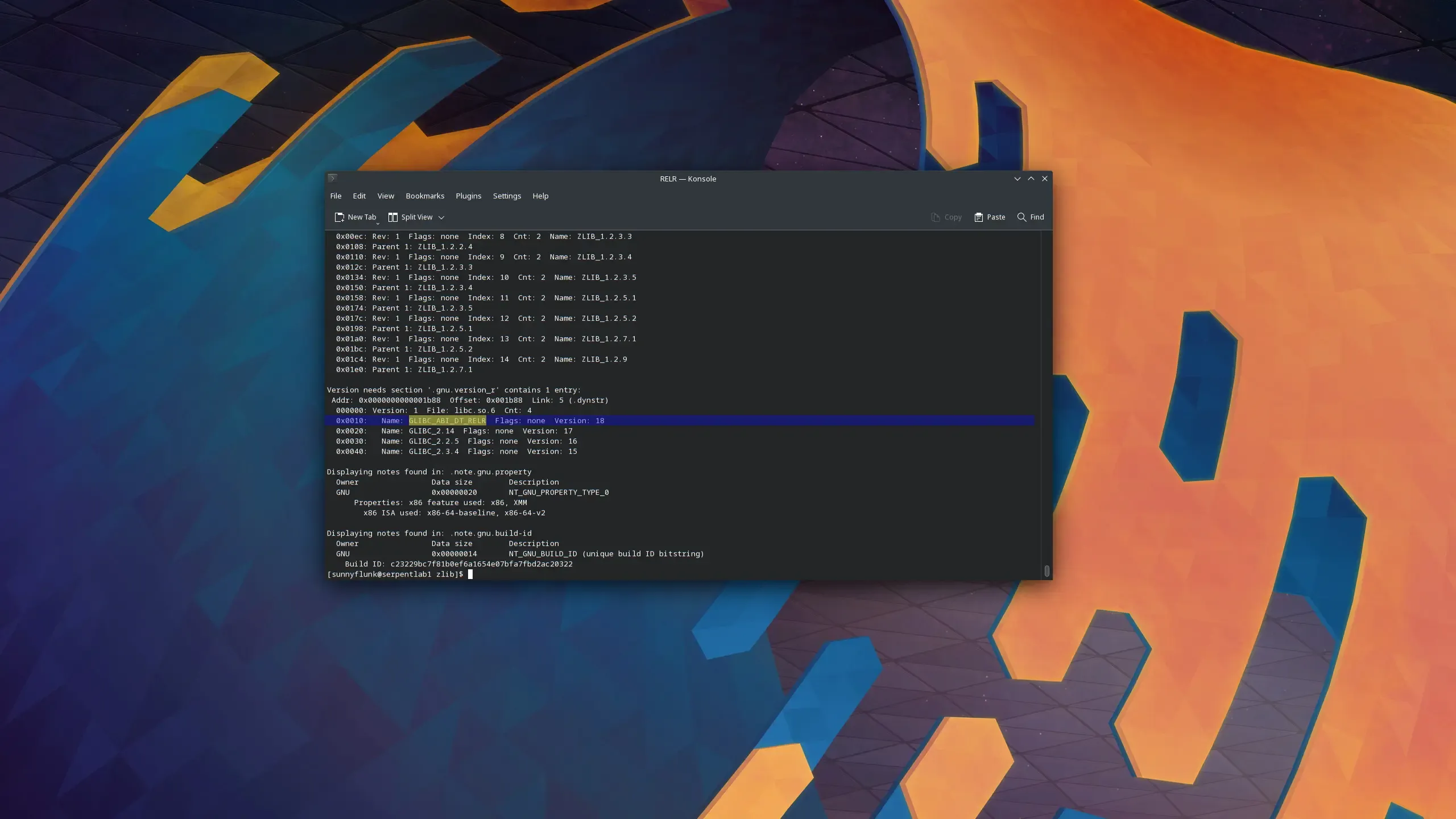
34 wasted bytes with GLIBC_ABI_DT_RELR

A quick check of two equivalent builds (one adding the GLIBC_ABI_DT_RELR version dependency and one not), there was an increase of 34 bytes to the file’s sections (18 bytes to .dynstr and 16 bytes to .gnu.version_r). It also means having to validate that the GLIBC_ABI_DT_RELR version is present in the libc and that the file using RELR includes this version dependency. This may not sound like much but it is completely unnecessary! Note that the testing provided in this blog post is without GLIBC_ABI_DT_RELR.

Regardless of what eventuates, these negatives won’t ship in Serpent OS. This will allow for us to support files that include the version dependency (when appimage and other distros catch up) as it will still exist in libc, but we won’t have the version check in files, nor will glibc check that the version exists before loading for packages built by boulder.
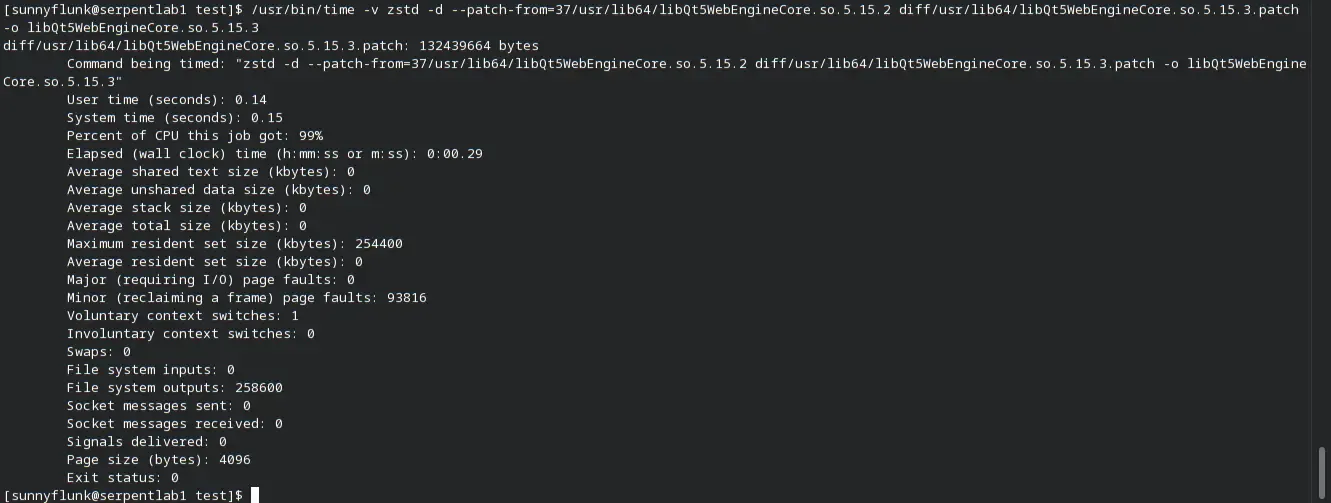
Making Deltas Great Again! (Part 1)

In Optimising Package Distribution we discussed some early findings for implementing binary deltas in Serpent OS. While discussing the implementation we have found the requirements to be suboptimal for what we were after. We provide a fresh look at the issue and what we can do to make it useful in almost all situations without the drawbacks.

I remember back in the early 2000s on Gentoo when someone set up a server to produce delta patches from source tarballs to distribute to users with small data caps such as myself. When requesting the delta, the job would be added to the queue (which occasionally could be minutes) and then created a small patch to download. This was so important at the time to reduce the download size that the extra time was well worth it!

Today things are quite different. The case for deltas has reduced for users as internet speeds have increased. Shrinking 20MB off a package size may be a second reduction for some, but 10 seconds for others. The largest issue is that deltas have typically pushed extra computational effort onto the users computer in compensation for the smaller size. With a fast internet connection that cost is a real burden where deltas take longer to install than simply downloading the full package.

The previous idea of using the full payload for deltas was very efficient in terms of distribution, but required changes in how moss handles packages to implement it. Having the previous payload available (and being fast) means storing the old payloads on disk. This increases the storage requirements for the base system, although that can be reduced by compressing the payloads to reduce disk usage (but increasing CPU usage at install time).

To make it work well, we needed the following requirements:

  • Install all the files from a package and recreate the payload from the individual files. However, Smart System Management allows users to avoid installing unneeded locale files and we would not be able to recreate the full payload without them.
  • Alternatively we can store the full payloads on disk. Then there becomes a tradeoff from doubling storage space or additional overhead from compressing the payloads to reduce it.
  • Significant memory requirements to use a delta when a package is large.

In short we weren’t happy with having to increase the disk storage requirements (potentially more than 2x) or the increase in CPU time to create compressed payloads to minimize it. This was akin to the old delta model, of smaller downloads but significantly slower updates.

Optimal compression generally benefits from combining multiple files into one archive than to compress each file individually. With zstd deltas, since you read in a dictionary (the old file), you already have good candidates for compression matching. The real question was simply whether creating a delta for each file was a viable method for delta distribution (packaged into a single payload of course).

As the real benefit of deltas is reducing download size, the first thing to consider is the size impact. Using the same package as the previous blog post (but with newer versions of QtWebEngine and zstd) we look at what happens when you delta each file individually. Note that the package is quite unique in that the largest file is 76% of the total package size and that delta creation time increased a lot for files larger than 15-20MB at maximum compression.

Full TarballIndividual FilesFull Tarball —zstd=chainLog=30Individual Files —zstd=chainLog=30
Time to create134.6s137.6s157.9s150.9s
Size of delta30.8MB29.8MB28.3MB28.6MB
Peak Memory1.77GB1.64GB4.77GB2.64GB

Quite surprisingly, the delta sizes were very close! Most surprising was that without increasing the size of the chainLog in zstd, the individual file approach actually resulted in smaller deltas! We can also see how much lower the memory requirements were (and they would be much smaller when there isn’t one large file in the package!). Our locale and doc trimming of files will still work nicely, as we don’t need to recreate the locale files that aren’t installed (as we still don’t want them!).

The architecture of moss allows us to cache packages, where all cached packages are available for generating multiple system roots including with our build tool boulder without any need for the original package file. Therefore any need to retain old payloads or packages is no longer required or useful, eliminating the drawbacks of the previous delta approach. The memory requirements are also reduced as the maximum memory requirement scales with the size of the largest file, rather than the entire package (which is generally a lot bigger). There are many packages containing hundreds of MBs of uncompressed data and a few into the GBs. But the largest file I could find installed locally was only 140MB, and only a handful over 100MB. This smaller increase in memory requirements is a huge improvement and the small increase in memory use to extract the deltas is likely to go unnoticed by users.

Well everything sounds pretty positive so far, there must be some drawback?

As the testing method for this article is quite simplistic (bash loops and calls to zstd directly), the additional overhead from creating deltas for individual files I estimated to be about 20ms compared to a proper solution. The main difference from the old delta method is how we extract the payloads and recreate the files of the new package. Using the full package you simply extract the content payload and split it into its corresponding files. The new approach requires two steps, extracting the payload (we could in theory not compress it) and then applying patches to the original files to recreate the new ones. Note that times differ slightly from the previous table due to minor variations between test runs.

Normal PackageIndividual Delta File Package
Time to Delta Files-148.0s (137 files)
Time to Compress Payload78.6s4.0s
Size of Uncompressed Payload165.8MB28.9MB
Size of Compressed Payload51.3MB28.6MB
Instructions to Extract Payload2,876.9m (349ms)33.1m (34ms)
Instructions to Recreate Files-1,785.6m (452ms)
Total instructions to Extract2,876.9m (349ms)1,818.7m (486ms)

What’s important to note is that is this reflects a worst case scenario for the delta approach, where all 137 files were different between the old and new version of the package. Package updates where files remain unchanged allows us to omit them from the delta package altogether! So the delta approach not only saves time downloading files, but also requires fewer CPU instructions to apply the update. It’s not quite a slam dunk though as reading the original file as a dictionary results in an increase in elapsed time of extraction (though the extra time is likely much less than the time saved downloading 20MB less!).

In Part 2 we will look at some ways we can tweak the approach to balance the needed resources for creating delta packages and to reduce the time taken to apply them.

Note: This was intended to be a 2 part series as it contains a lot of information to digest.
However, Part 2 was committed and follows below.

There’s more than one way to create a delta! This post follows on from the earlier analysis of creating some basic delta packages. Where this approach, and the use of zstd, really thrives is that it gives us options in how to manage the overhead, from creating the deltas to getting them installed locally. Next we explore some ideas of how we can minimize the caching time of delta files.

To get the best bang for your buck with deltas, it is essential to reduce the size of the larger files. My experience in testing was that there wasn’t a significant benefit from creating deltas for small files. In this example, we only create delta files when they are larger than a specific size while including the full version of files that are under the cutoff. This reduces the number of delta files created without impacting the overall package size by much.

Only Delta Files Greater ThanGreater than 10KBGreater than 100KBGreater than 500KB
Time to Delta Files146.1s (72 files)146.3s (64 files)139.4s (17 files)
Time to Compress Payload3.9s4.0s8.3s
Size of Uncompressed Payload28.9MB29.3MB42.4MB
Size of Compressed Payload28.6MB28.7MB30.5MB
Instructions to Extract Payload37.8m (36ms)34.7m (29ms)299.1m (66ms)
Instructions to Recreate Files1,787.7m (411ms)1,815.0m (406ms)1,721.4m (368ms)
Total instructions to Extract1,825.5m (447ms)1,849.7m (435ms)2,020.5m (434ms)

Here we see that by not creating deltas for files under 100KB, it barely impacts the size of the delta at all, while reducing caching time by 50ms compared to creating a delta for every file (486ms from the previous blog post). It even leads to up to a 36% reduction in CPU instructions to undertake caching through the delta than using the full package. In terms of showing how effective this delta technique really is, I chose one of the worst examples and I would expect that many deltas would be faster to cache when there’s files that are exact matches between the old and new package. The largest file alone took 300ms to apply the delta, where overheads tend to scale a lot when you start getting to larger files.

There are also some steps we can take to make sure that caching a delta is almost always faster than the full package (solving the only real drawback to users), only requiring Serpent OS resources to create these delta packages.

For this article, all the tests have been run with zstd --ultra -22 --zstd=chainLog=30…until now! The individual file delta approach is more robust at lower compression levels to keep package size small while reducing how long they take to create. Lets take a look at the difference while also ensuring --long is enabled. This testing combined with the results above for only creating deltas for files larger than 10KB.

Individual Delta File Packagezstd -12zstd -16zstd -19zstd -22
Time to Delta Files6.7s113.9s142.3s148.3s
Time to Compress Payload0.5s3.2s5.3s4.0s
Size of Uncompressed Payload41.1MB30.6MB28.9MB28.9MB
Size of Compressed Payload40.9MB30.3MB28.6MB28.6MB
Instructions to Extract Payload46.5m (35ms)51.2m (28ms)42.6m (33ms)37.8m (36ms)
Instructions to Recreate Files1,773.7m (382ms)1,641.5m (385ms)1,804.2m (416ms)1,810.9m (430ms)
Total instructions to Extract1,820.2m (417ms)1,692.7m (413ms)1,846.8m (449ms)1,848.7m (466ms)

Compression levels 16-19 look quite interesting where you start to reduce the time taken to apply the delta as well and only seeing a small increase in size. For comparison, at -19 it only took 9s to delta the remaining 39.8MB of files when excluding the largest file (it was 15s at -22). While the time taken between 19 and 22 was almost the same, at -19 it took 27% fewer instructions to create the deltas than at -22 (-16 uses 64% fewer instructions than -22). It will need testing across a broader range of packages to see the overall impact and to evaluate a sensible default.

As a side effect of reducing the compression level, you also get another small decrease in the time to cache a package. The best news of all is that these numbers are already out of date. Testing was performed last year with zstd 1.5.0, where there have been notable speed improvements to both compression and decompression that have been included in newer releases. Great news given how fast it is already! Here’s a quick summary of how it all ties together.

This blog series has put forward a lot of data that might be difficult to digest…but what does it mean for users of Serpent OS? Here’s a quick summary of the advantages of using this delta method on individual files when compared to fetching the full packages:

  • Package update sizes are greatly reduced to speed up fetching of package updates.
  • moss architecture means that we have no need to leave packages on disk for later use, reducing the storage footprint. In fact, we could probably avoid writes (except for the extracted package of course!) by downloading packages to tmpfs where you have sufficient free memory.
  • Delta’s can be used for updating packages for packaging and your installed system. There’s no need for a full copy of the full original package for packaging. A great benefit when combined with the source repository.
  • Delta’s are often overlooked due to being CPU intensive while most people have pretty decent internet speeds. This has a lot to do with how they are implemented.
  • With the current vision for Serpent OS deltas they will require fewer CPU instructions to use than full packages, but may slightly increase the time to cache some packages (but we are talking ms). But we haven’t even considered the reduction in time taken to download the delta vs the full package which more than makes up the difference!
  • The memory requirements are reduced compared to the prior delta approach, especially if you factor in extracting the payload in memory (possibly using tmpfs) as part of installation.

There’s still plenty more work to be done for implementing delta’s in Serpent OS and they likely aren’t that helpful early on. To make delta packages sustainable and efficient over the long run, we can make them even better and reduce some wastage. Here are some more ideas in how to make deltas less resource intensive and better for users:

  • As we delta each file individually, we could easily use two or more threads to speed up caching time. Using this package as an example, two threads would reduce the caching time to 334ms, the time the largest file took to recreate plus the time to extract the payload. Now the delta takes less time and CPU to cache than the full package!
  • zstd gives us options to tradeoff some increase in delta size to reduce the resources needed to create delta packages. This testing was performed with --ultra -22 --zstd=chainLog=30 which is quite slow, but produces the smallest files. Even reducing the compression level to -16 --long didn’t result in a large increase in delta size.
  • We always have the option to not create deltas for small packages to ease the burden, but in reality the biggest overhead is created from large files.
  • When creating deltas, you typically generate them for multiple prior releases. We can use smart criteria when to stop delta generation from earlier releases for instance if they save less than 10% total size or less than 100KB. A delta against an earlier release will almost always be larger than versus a more recent release.

While the numbers included have been nothing short of remarkable, they don’t quite reflect how good this approach will be. The results shown lack some of the key advantages of our delta approach such as excluding files that are unchanged between the two packages. Other things that will show better results are:

  • When package updates include minimal changes between versions (and smaller files), we would expect the average package to be much closer in elapsed time than indicated in these results.
  • A quick test using a delta of two package builds of the same source version resulted in a 13MB delta (rather than the 28.6MB delta we had here). On top of that it took 62% fewer CPU instructions and less time (295ms) than the full package to extract (349ms) without resorting to multi-threading.
  • Delta creation of the average package will be quite fast where the largest files are < 30MB. In our example, one file is 76% of the package size (126MB) but can take nearly 95% of the total creation time!
  • We will be applying features to our packages that will reduce file sizes (such as the much smaller RELR relocations and identical code folding), making the approach even better, but that will be for a future blog post.

Can Hardly Contain Myself, Plus a Bonus

One of the core steps for building a package is setting up a minimal environment with only the required (and stated) dependencies. Currently we have been building our stones in an systemd-nspawn container, where the root contains every package that’s been built so far. This makes the environment extremely difficult to reproduce!

Today we announce moss-container, a simple but flexible container creator that we can integrate for proper containerized builds.

Containers have a multitude of uses for a Linux distro, but our immediate use case is for reproducible container builds for boulder. However, we have plans to use moss-container for testing, validation and benchmarking purposes as well. Therefore it’s important to consider all workloads, so features like fakeroot and networking can be toggled on or off depending on what features are needed.

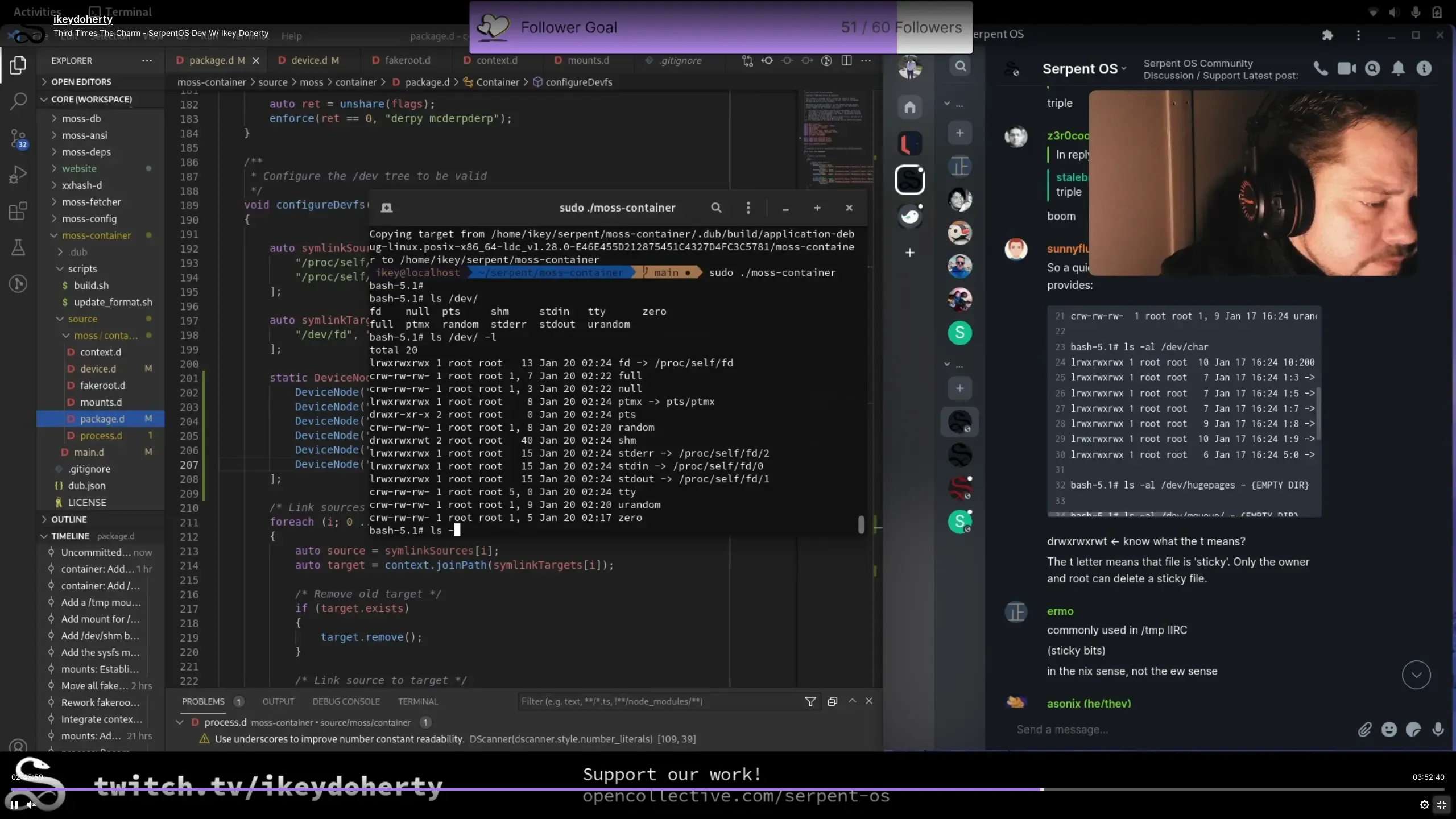
moss-container takes care of everything, the device nodes in the /dev tree, mounting directories as tmpfs so the environment is left in a clean state, and mounting the /sys and /proc special file-systems. These are essential for a fully functioning container where programs like python and even clang won’t work without them. And best of all, it’s very fast so fits in well with the rest of our tooling!

The next step is integrating moss-container into boulder, so that builds become reproducible across machines, and makes it much easier for users to run builds on their host machines.

Previously (but not covered in the blogs) work was also done on moss so that it can understand and fetch stone packages from an online repo. This ties in nicely with the moss-container work and is a requirement for finishing up a proper build process for Serpent OS. We are now one step closer to having a full distribution cycle from building packages and pushing those packages as system updates!

Container with functioning device nodes

In case you’ve missed it, ikey has been streaming some of the development of the tooling on his Twitch channel. DLang is not as commonly used as other languages, so check it out to see the advantages it brings. Streams are typically announced on twitter, or give him a follow to see when he next goes live!

This year we’ve had a considerable number of new visitors and interest in Serpent OS. Unfortunately the content on the website had been a bit stale and untouched for some time. There was some confusion and misunderstanding over some of the terms and content. Some of the common issues were:

  • Subscriptions is a loaded term relating to software
  • Subscriptions only referred to a fraction of the smart features
  • Seemed targeted at advanced users with too many technical terms
  • Lack of understanding around what moss and boulder do
  • That features would add complexity when the tools were actually removing the complexity

The good news is that a good chunk of it has been redone, including two new pages for our core tools boulder and moss. Subscriptions has been renamed to Smart System Management to reflect its broader nature (which you can read about here).

Much of the content has also had a refresh or a rewrite, so if you’ve seen it before, it will likely be a lot easier to digest now. But this isn’t the final state of the content, as more features will need to be added and there’s still a few rough edges (and I like to rewrite things every once in awhile). Many ideas have been raised by our community in the matrix channel, so a shout-out to the good folks we have hanging out there.

Performance Corner: Small Changes Pack a Punch

Here we have another round of changes to make packages smaller and show just how much we care about performance and efficiency! Today we are focusing mainly on moss-format changes to reduce the size of its payloads. The purpose of these changes is to reduce the size of packages, DB storage for transactions and memory usage for moss. These changes were made just before we moved out of bootstrap, so we wouldn’t have to rebuild the world after changing the format. Lets get started!

Squeezing Out the Last Blit of Performance

Section titled “Squeezing Out the Last Blit of Performance”

Blitting in Serpent OS is the process of setting up a root, using hardlinks of files installed in the moss store to construct the system /usr directory. Some initial testing showed buildPath using about 3% of the total events when installing a package with many files. As a system is made up of over 100,000 files, that’s a lot of paths that need to be calculated! Performance is therefore important to minimize time taken and power consumed.

After running a few benchmarks of buildPath, there were a few tweaks which could improve the performance. Rather than calculating the full path of the file, we can reuse the constant root path for each file instead, reducing buildPath events by 15%. Here we see some callgrind data from this small change (as it was difficult to pickup in the noise).

Before:
48,766,347 ( 1.50%) /usr/include/dlang/ldc/std/path.d:pure nothrow @safe immutable(char)[] std.path.buildPath
34,241,805 ( 1.05%) /usr/include/dlang/ldc/std/utf.d:pure nothrow @safe immutable(char)[] std.path.buildPath
14,363,684 ( 0.44%) /usr/include/dlang/ldc/std/range/package.d:pure nothrow @safe immutable(char)[] std.path.buildPath
After:
40,357,800 ( 1.25%) /usr/include/dlang/ldc/std/path.d:pure nothrow @safe immutable(char)[] std.path.buildPath
29,523,966 ( 0.91%) /usr/include/dlang/ldc/std/utf.d:pure nothrow @safe immutable(char)[] std.path.buildPath
12,814,283 ( 0.40%) /usr/include/dlang/ldc/std/range/package.d:pure nothrow @safe immutable(char)[] std.path.buildPath

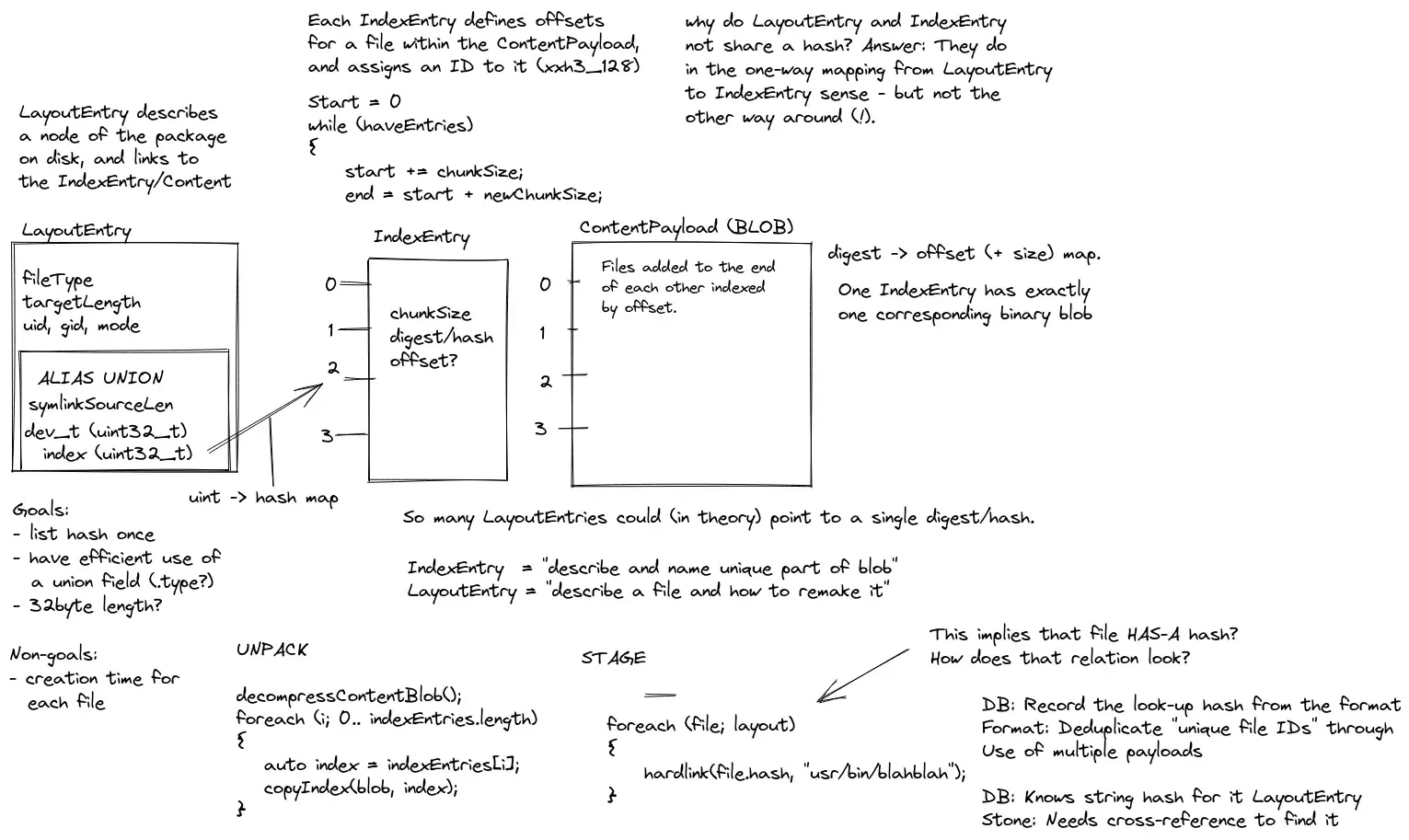
Our Index Payload is used for extracting the Content Payload into its hashed file names. As it has one job (and then discarded), we could hone in on including only the information we needed. Previously an entry was a 32 byte key and storing a 33 byte hash. We have now integrated the hash as a ubyte[16] field, cut other unneeded fields so that we can fit the whole entry into 32 bytes. That’s a 51% reduction in the size of the Index Payload and about 25% smaller when compressed.

Before: Index [Records: 3688 Compression: Zstd, Savings: 60.61%, Size: 239.72 KB]
After: Index [Records: 3688 Compression: Zstd, Savings: 40.03%, Size: 118.02 KB]

Too Many Entries Makes for a Large Payload

Section titled “Too Many Entries Makes for a Large Payload”

One of the bugbears about the Layout Payload, was the inclusion of Directory paths for every single directory. This is handy in that directories can be created easily before any files are included (to ensure they exist), but it comes at a price. The issue was twofold, the extra entries made inspecting the file list take longer and also made the Layout Payload larger than it needed to be. Therefore directories are no longer included as Layout entries with the exceptions of empty directories and directories with different permissions. Lets compare nano and glibc builds before and after the change:

nano
Before: Layout [Records: 174 Compression: Zstd, Savings: 80.58%, Size: 13.78 KB]
After: Layout [Records: 93 Compression: Zstd, Savings: 73.49%, Size: 9.15 KB]
glibc
Before: Layout [Records: 7879 Compression: Zstd, Savings: 86.88%, Size: 755.00 KB]
After: Layout [Records: 6813 Compression: Zstd, Savings: 86.24%, Size: 689.20 KB]

A surprisingly large impact from a small change, with 1,000 fewer entries for glibc and cutting the Layout Payload size of nano by a third. What it shows is that it’s hugely beneficial where locales are involved and % size reduction increases where you have fewer files. To give an example of how bad it could be, the KDE Frameworks package ktexteditor would have produced 300 entries in the Layout Payload, where 200 of those would have been for directories! I’d estimate a 50% reduction in the Layout Payload size for this package! Here’s an example of how a locale file used to be stored (where only the last line is added now).

- /usr/share/locale [Directory]
- /usr/share/locale/bg [Directory]
- /usr/share/locale/bg/LC_MESSAGES [Directory]
- /usr/share/locale/bg/LC_MESSAGES/nano.mo -> ec5b82819ec2355d4e7bbccc7d78ce60 [Regular]

This will be exceptionally useful for keeping the LayoutDB slimmer and faster as the number of packages grows.

Next we removed recording the timestamps of files, which for reproducible builds, is often a number of little relevance as you have to force them all to a fixed number. As moss is de-duplicating for files, there’s a second issue where two packages could have different timestamps for the same hash. Therefore it was considered an improvement to simply exclude timestamps altogether. This improved install time as we no longer overwrite the timestamps and made the payload more compressible due to replacing it with 8 bytes of padding. Unfortunately we weren’t quite able to free up 16 bytes to reduce the size of each entry, but will be something to pursue in future.

Another quick improvement was reducing the lengths of paths for each entry. moss creates system roots and switches between them by changing the /usr symlink. Therefore, all system files need to be installed into /usr or they will not make up your base system. Therefore we have no need to store /usr in the Payload so we strip /usr/ from the paths (the extra / gives us another byte off!) which we recreate on install. This improved the uncompressed size of the Payload, with only a minor reduction when compressed.

Combined these result in about a 5% decrease in the compressed and uncompressed size of the Layout Payload.

Before: Layout [Records: 6812 Compression: Zstd, Savings: 86.24%, Size: 689.10 KB]
After: Layout [Records: 6812 Compression: Zstd, Savings: 86.20%, Size: 655.00 KB]

Using the same method for the Index Payload, we are now storing the hash as ubyte[16], but not directly in the Payload Entry. This gives us a sizeable reduction of 17 bytes per entry which is the most significant of all the Layout Payload changes. As the extra space was unneeded, it compressed well so only resulted in a small reduction in the compressed Payload size.

Before: Layout [Records: 6812 Compression: Zstd, Savings: 86.20%, Size: 655.00 KB]
After: Layout [Records: 6812 Compression: Zstd, Savings: 83.92%, Size: 539.26 KB]

Planning payload changes

Hang On, Why am I Getting Faster Installation?

Section titled “Hang On, Why am I Getting Faster Installation?”

As a side-effect of small code rewrites to implement these changes, we’ve seen a nice decrease in time to install packages. There are fewer entries to iterate over with the removal of directories and buildPath is now only called once for each path. It goes to show that focusing on the small details leads to less, more efficient and faster code. Here we find that we have now essentially halved the number of events related to buildPath with all the changes resulting in about a 5% reduction in install time. Note that for this test, over 80% of time is spent in zstd decompressing the package which we haven’t optimized (yet!). Here’s another look the buildPath numbers factoring in all the changes:

Before:
48,766,347 ( 1.50%) /usr/include/dlang/ldc/std/path.d:pure nothrow @safe immutable(char)[] std.path.buildPath
34,241,805 ( 1.05%) /usr/include/dlang/ldc/std/utf.d:pure nothrow @safe immutable(char)[] std.path.buildPath
14,363,684 ( 0.44%) /usr/include/dlang/ldc/std/range/package.d:pure nothrow @safe immutable(char)[] std.path.buildPath
After:
25,145,625 ( 0.79%) /usr/include/dlang/ldc/std/path.d:pure nothrow @safe immutable(char)[] std.path.buildPath
17,967,216 ( 0.57%) /usr/include/dlang/ldc/std/utf.d:pure nothrow @safe immutable(char)[] std.path.buildPath
7,761,417 ( 0.24%) /usr/include/dlang/ldc/std/range/package.d:pure nothrow @safe immutable(char)[] std.path.buildPath

It was a pretty awesome weekend of work (a few weeks ago now), making some quick changes that will improve Serpent OS a great deal for a long time to come. This also means we have integrated all the quick format changes so we won’t have to rebuild packages while bringing up the repos.

Here’s a quick summary of the results of all these small changes:

  • 51% reduction in the uncompressed size of the Index Payload
  • 25% reduction in the compressed size of the Index Payload
  • 29-50% reduction in the uncompressed size of the Layout Payload (much more with fewer files and more locales)
  • 12-15% reduction in the compressed size of the Layout Payload
  • 5% faster package installation for our benchmark (800ms to 760ms)

These are some pretty huge numbers and even excluded the massive improvements we made in the previous blog!

I’m glad you asked, cause I was curious too! Here we see a before and after with all the changes included. For the Layout Payload we see a ~45% reduction in the compressed and uncompressed size. For the Index Payload we have reduced the uncompressed size by 67% and the compressed size by 56%. Together resulting in halving the compressed and uncompressed size of the metadata of our stone packages!

Before:
Payload: Layout [Records: 5441 Compression: Zstd, Savings: 83.13%, Size: 673.46 KB] (113.61 KB compressed)
Payload: Index [Records: 2550 Compression: Zstd, Savings: 55.08%, Size: 247.35 KB] (111.11 KB compressed)
After:
Payload: Layout [Records: 4718 Compression: Zstd, Savings: 83.62%, Size: 374.42 KB] (61.33 KB compressed)
Payload: Index [Records: 2550 Compression: Zstd, Savings: 39.85%, Size: 81.60 KB] (49.01 KB compressed)

Now we proceed towards bringing up repos to enjoy our very efficient packages!

Out of the Bootstrap - Towards Serpent OS

The initial stone packages that will seed the first Serpent OS repo have now been finalized! This means that work towards setting up the infrastructure for live package updates begins now. We plan on taking time to streamline the processes with a focus of fixing issues at the source. In this way we can make packaging fast and efficient so we can spend time working on features rather than package updates.

Bootstrapping a distribution involves building a new toolchain and many packages needed to support it. For us bootstrap was getting us to the point where we have built stone packages that we can use to start an initial repository with full working dependencies. This has been enabled by integrating dependencies into moss, creating the first repo index. Of note is that it is already enabled for 32bit support, so we have you covered there. While this is the end of bootstrap, the fun has only just begun!

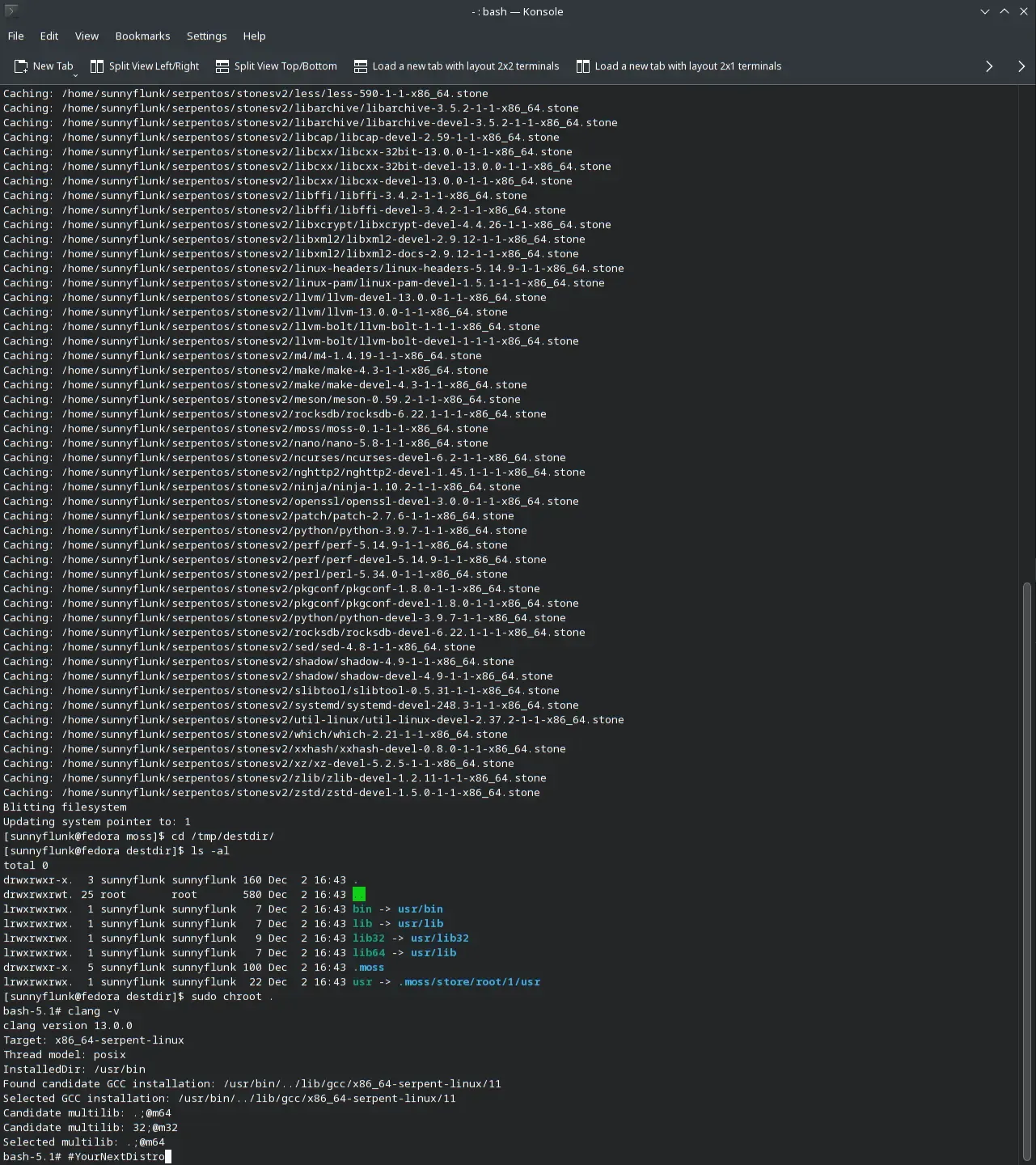
The first install from the bootstrap

The next goal is to make Serpent OS self-hosting, where we can build packages in a container and update the repo index with the newly built packages. It is essentially a live repository accessible from the internet. There’s still plenty of improvements to be made with the tooling, but will soon enable more users to participate in bringing Serpent OS into fruition.

While there’s a strong focus in Serpent OS on performance, the decision has been made to lower the initial requirements for users. Despite AVX2 being an older technology, there are still computers sold today that don’t support it. Because of this (and already having interested users who don’t have newer machines), the baseline requirement for Serpent OS will be x86_64-v2, which only requires SSE4.2.

It was always the plan to add support for these machines, just later down the track. In reality, this makes a lot more sense, as there will be many cases where building 2 versions of a package provides little value. This is where a package takes a long time to build and doesn’t result in a notable performance improvement. We will always need the x86_64-v2 version of a package to be compatible with the older machines. With this approach we can reduce the build server requirements without a noticeable impact to users as only a few packages you use will be without extra optimizations (and probably don’t benefit from them anyway).

I want to make it clear that this will be temporary, with impactful x86_64-v3+ packages rolling out as soon as possible. This change paves the way to integrate our technology stack taking care of your system for you and increases its priority. Users meeting the requirements of the x86_64-v3+ instruction set (this includes additional instructions beyond x86_64-v3) will automatically start installing these faster packages as they become available. Our subscriptions model will seamlessly take care of everything for you behind the scenes so you don’t need to read a wiki or forum to learn how to get these faster packages. We can utilize the same approach in future for our ARM stack, offering more optimized packages where it provides the most benefit.

Note that from the bootstrap, most packages built in under 15s and only three took longer than 2 minutes.

While the project is young is a great time to test out new technologies. The use of clang and lld open up new possibilities to reduce file sizes, shorten load times and decrease memory usage. Some of these choices may have impacts on compatibility, so testing them out will be the best way to grasp that. Making sure that you can run apps like Steam is vital to the experience, so whatever happens we will make sure it works. The good news is that due to the unique architecture of Serpent OS, we can push updates that break compatibility with just a reboot, so if we ever feel the need to change the libc, we can make the change without you having to reinstall! More importantly, we can test major stack updates by rebooting into a staged update and go straight back to the old system, regardless of your file system.

In the early days of the repository, tooling to make creating new packages as simple as possible is vital for efficiency. Spending some time automating as much of the process as possible will take weeks off bringing up Serpent OS. By making packaging as easy as possible will also help users when creating their own packages. While it would be faster to work around issues, the build tooling upgrades will benefit everyone.

The other way we’ll be speeding up the process is by holding back some of the tuning options by default. LTO for instance can result in much longer build times so will not initially be the default. The same is true for debug packages, where it slows down progress without any tangible benefit.

We hope you are as excited as we are!

Performance Corner: Faster Builds, Smaller Packages

Performance Corner is a new series where we highlight to you some changes in Serpent OS that may not be obvious, but show a real improvement. Performance is a broad term that also covers efficiency, so things like making files smaller, making things faster or reducing power consumption. In general things that are unquestionably improvements with little or no downside. While the technical details may be of interest to some, the main purpose is to highlight the real benefit to users and/or developers that will make using Serpent OS a more enjoyable experience. Show me the numbers!

Here we focus on a few performance changes Ikey has been working on to the build process that are showing some pretty awesome results! If you end up doing any source builds, you’ll be thankful for these improvements. Special thanks to ermo for the research into hash algorithms and enabling our ELF processing.

When measuring changes, it’s always important to know where you’re starting from. Here are some results from a recent glibc build, but before these latest changes were incorporated.

Payload: Layout [Records: 5441 Compression: Zstd, Savings: 83.13%, Size: 673.46 KB]
Payload: Index [Records: 2550 Compression: Zstd, Savings: 55.08%, Size: 247.35 KB]
Payload: Content [Records: 2550 Compression: Zstd, Savings: 81.46%, Size: 236.72 MB]
==> 'BuildState.Build' finished [4 minutes, 6 secs, 136 ms, 464 μs, and 7 hnsecs]
==> 'BuildState.Analyse' finished [21 secs, 235 ms, 300 μs, and 2 hnsecs]
==> 'BuildState.ProducePackages' finished [25 secs, 624 ms, 996 μs, and 8 hnsecs]

The build time is a little high, but a lot of that is due to a slow compiler on the host machine. But analysing and producing packages was also taking a lot longer than it needed to.

In testing an equivalent build outside of boulder, the build stages were about 5% faster. Testing under perf, the jobs system was a bit excessive for the needs of boulder, polling for work when we already know the times when parallel jobs would be useful. Removing moss-jobs allowed for simpler codepaths using multiprocessing techniques from the core language. This work is integrated in moss-deps and the excess overhead of the build has now been eliminated.

Before:
==> 'BuildState.Build' finished [4 minutes, 6 secs, 136 ms, 464 μs, and 7 hnsecs]
==> 'BuildState.Analyse' finished [21 secs, 235 ms, 300 μs, and 2 hnsecs]
After:
[Build] Finished: 3 minutes, 53 secs, 386 ms, 306 μs, and 4 hnsecs
[Analyse] Finished: 8 secs, 136 ms, 22 μs, and 8 hnsecs

The new results reflect a 26s reduction in the overall build time. But only 13s of this relates to the moss-jobs removal. The other major change is making the analyse stage parallel in moss-deps (a key part of why we wanted parallelism to begin with). Decreasing the time from 21.2s to 8.1s is a great achievement despite it doing more work as we’ve also added ELF scanning for dependency information in-between these results.

One of the unique features in moss is using hashes for file names which allows full deduplication within packages, the running system, previous system roots and for source builds with boulder. Initially this was hooked up using sha256, but it was proving to be a bit of a slowdown.

Enter xxhash, the hash algorithm by Yann Collet for use in fast decompression software such as lz4 and zstd (and now in many places!). This is seriously fast, with the potential to produce hashes faster than RAM can feed the CPU. The hash is merely used as a unique identifier in the context of deduplication, not a cryptographic verification of origin. XXH3_128bit has been chosen due to it having an almost zero probability of a collision across 10s of millions of files.

The benefit is actually two-fold. First of all, the hash length is halved from sha256, so there’s savings in the package metadata. This shouldn’t be understated as hash data is generally not as compressible as typical text and there are packages with a lot of files! Here the metadata for the Layout and Index payloads has reduced by 232KB! That’s about a 25% reduction with no other changes.

Before:
Payload: Layout [Records: 5441 Compression: Zstd, Savings: 83.13%, Size: 673.46 KB]
Payload: Index [Records: 2550 Compression: Zstd, Savings: 55.08%, Size: 247.35 KB]
After:
Payload: Layout [Records: 5441 Compression: Zstd, Savings: 86.66%, Size: 522.97 KB]
Payload: Index [Records: 2550 Compression: Zstd, Savings: 60.02%, Size: 165.75 KB]

Compressed this turns out to be about a 89KB reduction in the package size. For larger packages, this probably doesn’t mean much but could help a lot more with delta packages. For deltas, we will be including the full metadata of the Layout and Index payloads, so the difference will be more significant there.

The other benefit of course is the speed and the numbers speak for themselves! A further 6.4s reduction in build time removing most of the delay at the end of the build for the final package. This will also improve speeds for caching or validating a package.

Before:
==> 'BuildState.Analyse' finished [21 secs, 235 ms, 300 μs, and 2 hnsecs]
After:
[Analyse] Finished: 1 sec, 688 ms, 681 μs, and 8 hnsecs

With these changes combined, building packages can take 12x less time in the analyse stage, while reducing the size of the metadata and the overall package. We do expect the analyse time to increase in future as we add more dependency types, debug handling and stripping, but with the integrated parallel model, we can minimize the increase in time.

Building

The first installment of Performance Corner shows some great wins to the Serpent OS tools and architecture. This is just the beginning and there will likely be a follow up soon (you may have also noticed that it takes too long to make the packages), and there’s a couple more tweaks to further decrease the size of the metadata. Kudos to Ikey for getting these implemented!

Optimal File Locality

File locality in this post refers to the order of files in our content payload. Yes that’s right, we’re focused on the small details and incremental improvements that combined add up to significant benefits! All of this came about from testing the efficiency of content payload in moss-format and how well it compared against a plain tarball. One day boulder was looking extremely inefficient and then retesting the following day was proving to be extremely efficient without any changes made to boulder or moss-format. What on Earth was going on?

To test the efficiency our content payload, the natural choice was to compare it to a tarball containing the same files. When first running the test the results were quite frankly awful! Our payload was 10% larger than the equivalent tarball! It was almost unbelievable in a way, so the following day I repeated the test again only this time the content payload was smaller than the tarball. This didn’t actually make sense, I made the tarball with the same files, but only changed the directory it was created from. Does it really matter?

Of course it does (otherwise it would be a pretty crappy blog post!). When extracting a .stone package it creates two directories, mossExtract where the sha256sum named files are stored and mossInstall where those files are hardlinked to their full path name. The first day I created the tarball from mossInstall and the second day I realised that creating the tarball from mossExtract would provide the closest match to the content payload since it was a direct comparison. When compressing the tarballs to match the .stone compression level, the tarball compressed from mossInstall was 10% smaller, despite the uncompressed tarball being slightly larger.

Compression Wants to Separate Apples and Oranges

Section titled “Compression Wants to Separate Apples and Oranges”

In simplistic terms, the way compression works is comparing data that it’s currently reading versus data that it’s read earlier in the file. zstd has some great options like --long that increases the distance in which these matches can be made at the cost of increased memory use. To limit memory use while making compression and decompression fast, it takes shortcuts that reduce the compression ratio. For optimal compression, you want files that are most similar to each other to be as close as possible. You won’t get as many matches from a text file to an ELF file as you would from a similar looking text file.

Files in mossExtract are listed in their sha256sum order, which is basically random, where files in mossInstall are ordered by their path. Sorting files by path actually does some semblance of sorting where binaries are in /usr/bin and libraries are in /usr/lib bringing them closer together. This is in no way a perfect order, but is a large improvement on a random order (up to 10% in our case!).

Our glibc package has been an interesting test case for boulder, where an uncompressed tarball of the install directory was just under 1GB. As boulder stores files by their sha256sum, it is able to deduplicate files that are the same even when the build hasn’t used symlinks or hardlinks to prevent the wasted space. In this case, the deduplication reduced the uncompressed size of the payload by 750MB alone (that’s a lot of duplicate locale data!). In the python package, it removes 1,870 duplicate cache files to reduce the installation size.

As part of the deduplication process boulder would sort files by sha256sum to remove duplicate hashes. If two files have the same sha256sum, then only one copy needs to be stored. It also felt clean with the output of moss info looking nice where the hashes are listed in alphabetical order. But it was having a significant negative impact on package sizes so that needed to be addressed by resorting the files by path order (a simple one-liner), making the content payload more efficient than a tarball once again.

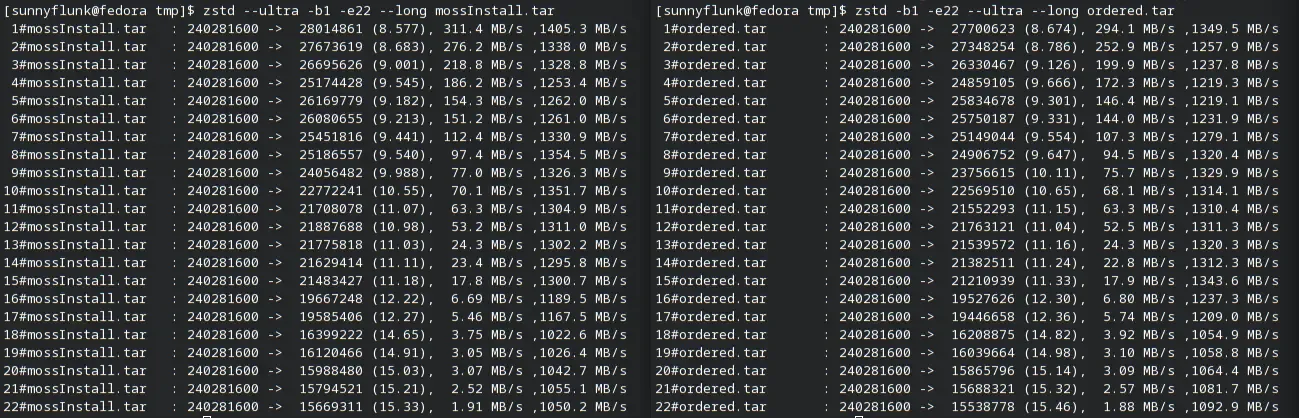
Compression Levelsha256sum OrderFile path Order
172,724,38970,924,858
665,544,32263,372,056
1249,066,50544,039,782
1645,365,41540,785,385
1926,643,33424,134,820
2216,013,04815,504,806

Testing has shown that higher compression levels (and enabling --long) is more forgiving of a suboptimal file order (3-11% smaller vs only 2-5% smaller when using --long). The table above is without --long so the difference is larger.

There’s certainly something to this and sorting by file order is a first step. In future we can consider creating an efficient order for files to improve locality. Putting all the ELF, image or text files together in the payload will help to shave a bit off our package sizes at only the cost to sort the files. However, we don’t want to go crazy here, the biggest impact on reducing package sizes will be using deltas as the optimal package delivery system (and there will be a followup on this approach shortly). The moss-format content payload is quite simple and contains no filenames or paths in it. Therefore it’s effectively costless to switch around the order of files, so we can try out a few things and see what happens.

To prove the value of moss-format and the content payload, I tried out some crude sorting methods and their impact on compression for the package. As you want similar files chunked together, it divided the files into 4 groups, still sorted by their path order in their corresponding chunk:

  • gz: gzipped files
  • data: non-text files that weren’t ELF
  • elf: ELF files
  • text: text files (bash scripts, perl etc)

Path order vs optimal order

As the chart shows, you can get some decent improvements from reordering files within the tarball when grouping files in logical chunks. At the highest compression level, the package is reduced by 0.83% without any impact on compression or decompression time. In the compression world, such a change would be greatly celebrated!

Also important to note was that just moving the gzipped files to the front of the payload was able to capture 40% of the size improvement at high compression levels, but had slightly worse compression at levels 1-4. So simple changes to the order (in this case moving non-compressible files to the edge of the payload) can provide a reduction in size at the higher levels that we care about. We don’t want to spend a long time analyzing files for a small reduction in package size, so we can start off with some basic concepts like this. Moving files that don’t compress a lot such as already compressed files, images and video to the start of payload meaning that the remaining files are closer together. We also need to test out a broader range of packages and the impact any changes would have on them.

So ultimately the answer to the original question (was moss-format efficient?), the answer is yes! While there are some things that we still want to change to make it even better, in its current state package creation time was faster and overheads were lower than with compressing an equivalent tarball. The compressed tarball at zstd -16 was 700KB larger than the full .stone file (which contains a bit more data than the tarball).

The unique format also proves its worth in that we can make further adjustments to increase performance, reduce memory requirements and reduce package sizes. What this experiment shows is that file order really does matter, but using the basic sorting method of filepath gets you most of the way there and is likely good enough for most cases.

Here are some questions we can explore in future to see whether there’s greater value in tweaking the file order:

  • Do we sort ELF files by path order, file name or by size?
  • Does it matter the order of chunks in the file? (i.e. ELF-Images-Text vs Images-Text-ELF)
  • How many categories do we need to segregate and order?
  • Can we sort by extension? (i.e. for images, all the png files will be together and the jpegs together)
  • Do we simply make a couple of obvious changes to order and leave zstd to do the heavy lifting?

Unpacking the Build Process: Part 2

Part 2 looks at the core of the build process, turning the source into compiled code. In Serpent OS this is handled by our build tool boulder. It is usually the part of the build that takes the longest, so where speed ups have the most impact. How long it takes is largely down to the performance of your compiler and what compile flags you are building with.

This post follows on from Part 1.

The steps for compiling code are generally quite straight-forward:

  • Setting up the build (cmake, configure, meson)
  • Compiling the source (in parallel threads)
  • Installing the build into a package directory

This will build software compiled against packages installed on your system. It’s a bit more complicated when packaging as we first set up an environment to compile in (Part 1). But even then you have many choices to make and each can have an impact on how long it takes to compile the code. Do you build with Link Time Optimizations (LTO) or Profile Guided Optimizations (PGO), do you build the package for performance or for the smallest size? Then there’s packages that benefit considerably from individual tuning flags (like -fno-semantic-interposition with python). With so many possibilities, boulder helps us utilize them through convenient configuration options.

As I do a lot of packaging and performance tuning, boulder is where I spend most of my time. Here are some key features that boulder brings to make my life easier.

  • Ultimate control over build C/CXX/LDFLAGS via the tuning key
  • Integrated 2 stage context sensitive PGO builds with a single line workload
  • Able to switch between gnu and llvm toolchains easily
  • Rules based package creation
  • Control the extraction locations for multiple upstream tarballs

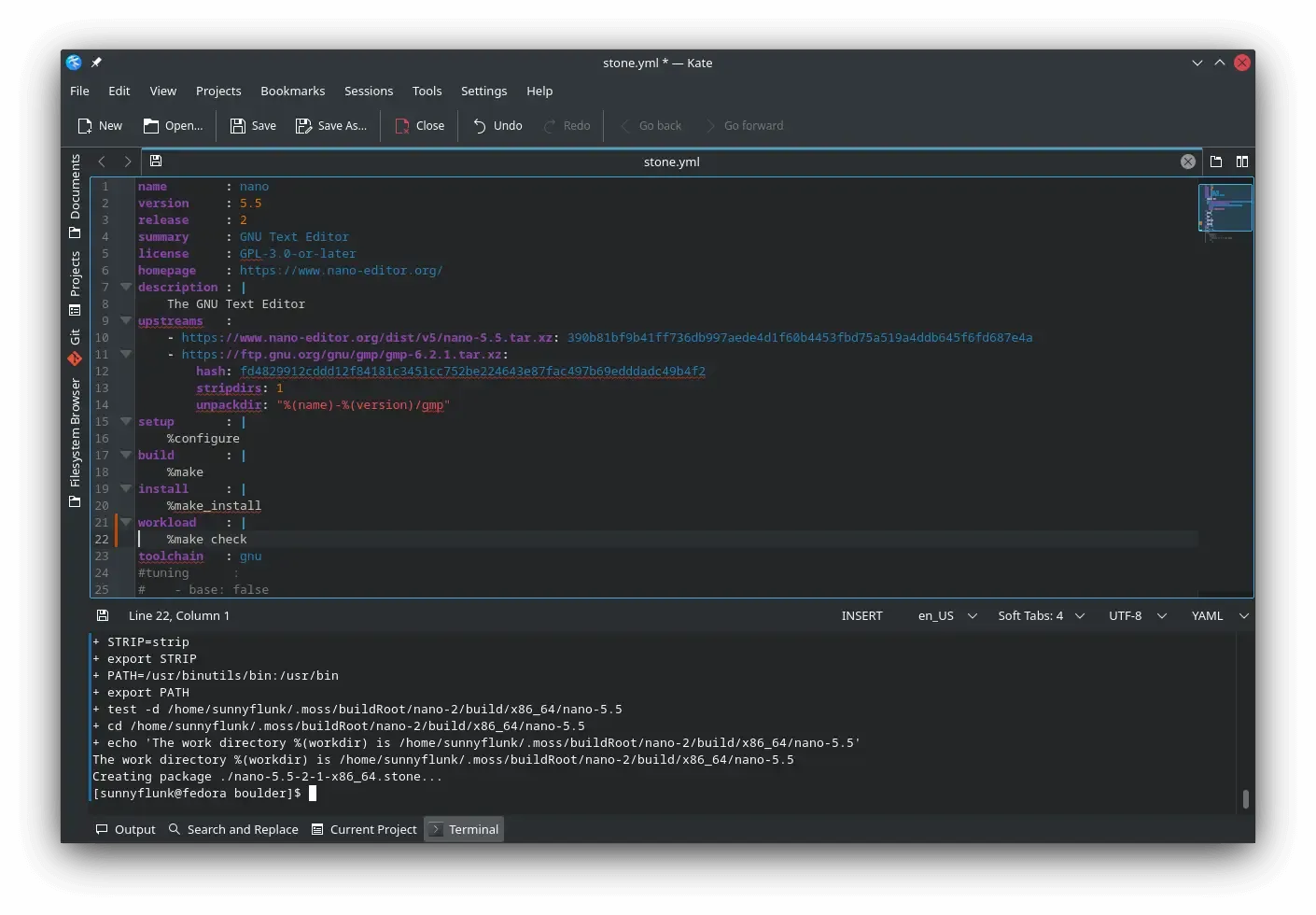
boulder will also be used to generate and amend our stone.yml files to take care of as much as possible automatically. This is only the beginning for boulder as it will continue to be expanded to learn new tricks to make packaging more automated and able to bring more information to help packagers know when they can improve their stone.yml, or alert them that something might be missing.

Serpent OS is focused on the performance of produced packages, even if that means that builds will take longer to complete. This is why we have put in significant efforts to speed up the compiler and setup tools in order to offset and minimize the time needed to enable greater performance.

My initial testing focused on the performance of clang as well as the time taken to run cmake and configure. This lays the foundation for all future work in expanding the Serpent OS package archives at a much faster pace. On the surface, running cmake can be a small part of the overall build. However, it is important in that it utilizes a single thread, so is not sped up by adding more CPU cores like the compile time is. With a more compile heavy build, our highly tuned compiler can build the source in around 75s. So tuning the setup step to run in 5s rather than 10s actually reduces the overall build time by an additional 6%!

There are many smaller packages where the setup time is an even higher proportion of the overall build and becomes more relevant as you increase the numbers of threads on the builder. For example, when building nano on the host, the configure step takes 13.5s, while the build itself takes only 2.3s, so there’s significant gains to be had from speeding up the setup stage of a build (which we will absolutely be taking advantage of!).

A Closer Look at the clang Compiler’s Performance

Section titled “A Closer Look at the clang Compiler’s Performance”

A first cut of the compiler results were shared earlier in Initial Performance Testing, and given the importance to overall build time, I’ve been taking a closer look. In the post I said that "At stages where I would have expected to be ahead already, the compile performance was only equal" and now I have identified the discrepancy.

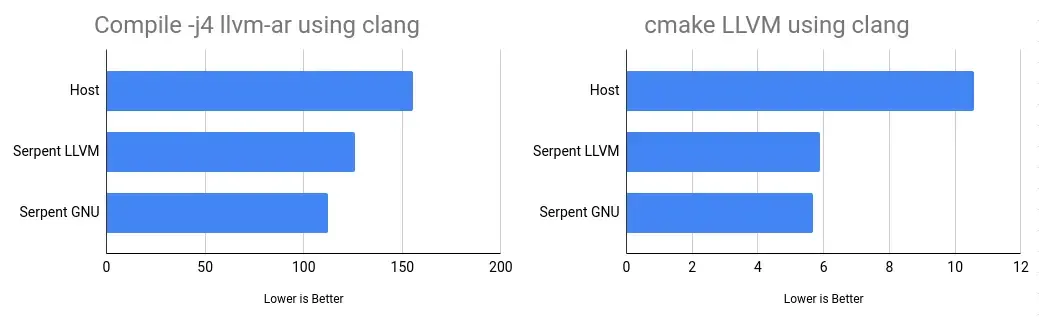
I’ve tested multiple configurations for the clang compiler and noticed that changing the default standard C++ library makes a difference to the time of this particular build. The difference in the two runs is compiling llvm-ar with the LLVM libraries of compiler-rt/libc++/libunwind or the GNU libraries of libgcc/libstdc++. And just to be clear, this is increasing the time of compiling llvm-ar with libc++ vs libstdc++ and not to do with the performance of either library. The clang compiler itself is built with libc++ in both cases as it produces a faster compiler.

Test using clangSerpent LLVM libsSerpent GNU libsHost
cmake LLVM5.89s5.67s10.58s
Compile -j4 llvm-ar126.16s112.51s155.32s
configure gettext36.64s36.98s63.55s

The host now takes 38% longer than the Serpent OS clang when building with the same GNU libraries and is much more in line with my expectations. Next steps will be getting bolt and perf integrated into Serpent OS to see if we can shave even more time off the build.

What remains unclear is whether this difference is due to something specifically in the LLVM build or whether it would translate to other C++ packages. I haven’t noticed a 10% increase in build time when performing the full compiler build with libc++ vs libstdc++.

Unpacking the Build Process: Part 1

While the build process (or packaging as it’s commonly referred to) is largely hidden to most users, it forms a fundamental and important aspect to the efficiency of development. In Serpent OS this efficiency also extends to users via source based builds for packages you may want to try/use that aren’t available as binaries upstream.

The build process can be thought of in three distinct parts, setting up the build environment, compiling the source and post build analysis plus package creation. Please note that this process hasn’t been finalized in Serpent OS so we will be making further changes to the process where possible.

Some key parts to setting up the build environment:

  • Downloading packages needed as dependencies for the build
  • Downloading upstream source files used in the build
  • Fetching and analyzing the latest repository index
  • Creating a reproducible environment for the build (chroot, container or VM for example)
  • Extracting and installing packages into the environment
  • Extracting tarballs for the build (this is frequently incorporated as part of the build process instead)

While the focus of early optimization work has been on build time performance, there’s more overhead to creating packages time than simply compiling code. Now the compiler is in a good place, we can explore the rest of the build process.

There’s been plenty of progress in speeding up the creation of the build environment such as parallel downloads to reduce connection overhead and using zstd for the fast decompression of packages. But there’s more that we can do to provide an optimal experience to our packagers.

Some parts of the process are challenging to optimize as while you can download multiple files at once to ensure maximum throughput, you are still ultimately limited by your internet speed. When packaging regularly (or building a single package multiple times), downloaded files are cached so become a one off cost. One part we have taken particular interest in speeding up is extracting and installing packages into the environment.

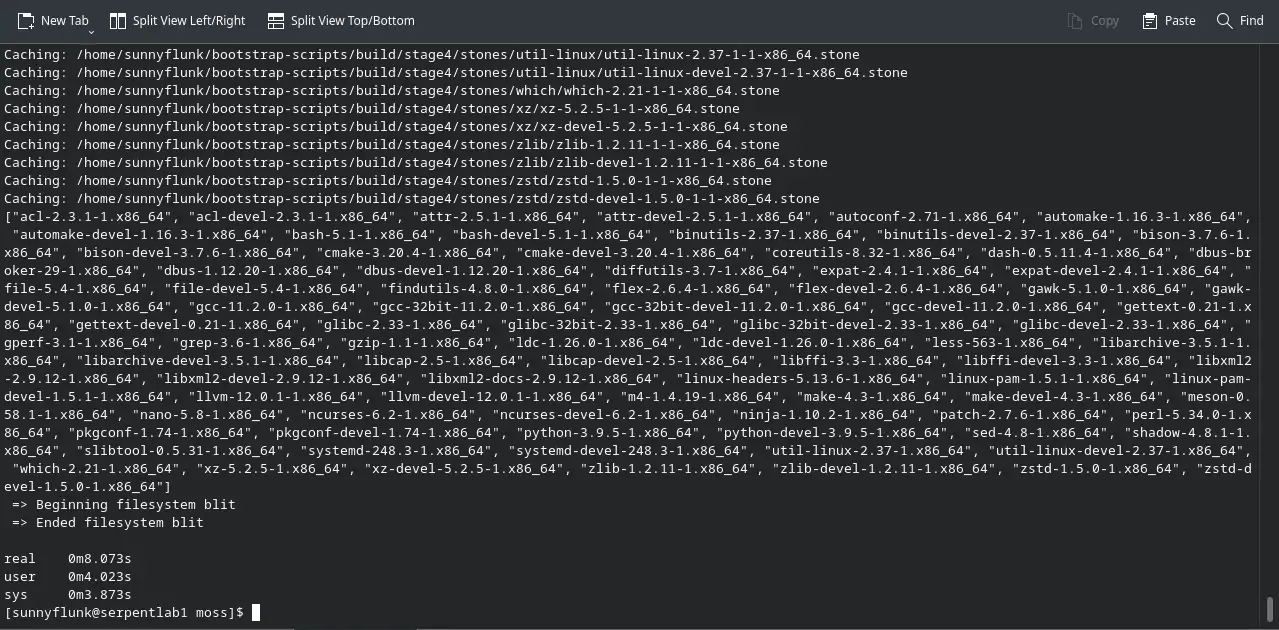
Eight seconds (for a small number of dependencies) that don't need to be endlessly repeated

Installing packages to a clean environment can be the most time consuming part of setting up the build (excluding fetching files which is highly variable). Serpent OS has a massive advantage with the design of moss where packages are cached (extracted on disk) and ready to be used by multiple roots, including the creation of clean build environments for boulder. Having experienced a few build systems in action, setting up the root could take quite some time with a large number of dependencies (even getting over a minute). moss avoids the cost of extracting packages entirely every build by utilizing its cache!

There are also secondary benefits to how moss handles packages via its caches where disk writes are reduced by only needing to extract packages a single time. But hang on, won’t you be using tmpfs for builds? Of course we will have RAM builds as an option and there are benefits there too! When extracting packages to the RAM disk, it consumes memory which can add up to more than a GB before the build even begins. moss allows for us to start with an empty tmpfs so we can perform larger builds before exhausting the memory available on our system.

Another great benefit is due to the atomic nature of moss. This means that we can add packages to be cached as soon as they’re fetched while waiting for the remaining files to finish downloading (both for boulder and system updates). Scheduling jobs becomes much more efficient and we can have the build environment available in moments after the last file is downloaded!

moss allows us to eliminate one of the bigger time sinks in setting up builds, enabling developers and contributors alike to be more efficient in getting work done for Serpent OS. With greater efficiency it may become possible to provide a second architecture for older machines (if the demand arises).

Yes, there’s plenty more to discuss so there will be more follow up posts showing the cool features Serpent OS is doing to both reduce the time taken to build packages and in making packages easier to create so stay tuned!

Initial Performance Testing

With further progress on boulder, we can now build native stone packages with some easy tweaks such as profile guided optimizations (PGO) and link time optimizations (LTO). That means we can take a first look at what the performance of the first cut of Serpent OS shows for the future. The tests have been conducted using benchmarking-tools with Serpent OS measured in a chroot on the same host with the same kernel and config.

One of the key focuses for early in the project is on reducing build time. Every feature can either add or subtract from the time it takes to produce a package. With a source/binary hybrid model, users will greatly benefit from the faster builds as well. In terms of what I’ve targeted in these tests is the performance of clang and testing some compiler flag options on cmake.

clang has always been a compiler with a big future. The performance credentials have also been improving each release and are now starting to see it perform strongly against its GNU counterpart. It is common to hear that clang is slow and produces less optimized code. I will admit that most distros provide a slow build of clang, but that will not be the case in Serpent OS.

It is important to note that in this comparison the Host distro has pulled in some patches from LLVM-13 that greatly improve the performance of clang. Prior to this, their tests actually took 50% longer for cmake and configure but only 10% longer for compiling. boulder does not yet support patching in builds so the packages are completely vanilla.

Test using clangSerpentHostDifference
cmake LLVM5.89s10.58s79.7%
Compile -j4 llvm-ar126.16s155.32s23.1%
configure gettext36.64s63.55s73.4%

Based on the results during testing, the performance of clang in Serpent OS still has room to improve and was just a quick tuning pass. At stages where I would have expected to be ahead already, the compile performance was only equal (but cmake and configure were still well ahead).

While clang is the default compiler in Serpent OS, there may be instances where the performance is not quite where it could be. It is common to see software have more optimized code paths where they are not tested with clang upstream. As an example, here’s a couple of patches in flac (1, 2) that demonstrate this being improved. Using benchmarking-tools, it is easy to see where gcc and clang builds are running different functions via perf results.

In circumstances where the slowdown is due to hitting poor optimization paths in clang, we always have the option to build packages using gcc, where the GNU toolchain is essential for building glibc. Therefore having a solid GNU toolchain is important but small compile time improvements won’t be noticed by users or developers as much.

Test using gccSerpentHostDifference
cmake LLVM7.00s7.95s13.6%
Compile llvm-ar168.11s199.07s18.4%
configure gettext45.45s51.93s14.3%

While the current bootstrap exists only as a starting point for building the rest of Serpent OS, there are some other packages we can easily test and compare. Here’s a summary of those results.

TestSerpentHostDifference
Pybench1199.67ms1024.33ms-14.6%
xz Compress Kernel (-3 -T1)42.67s46.57s9.1%
xz Compress Kernel (-9 -T4)71.25s76.12s6.8%
xz Decompress Kernel8.03s8.18s1.9%
zlib Compress Kernel12.60s13.17s4.5%
zlib Decompress Kernel5.14s5.21s1.4%
zstd Compress Kernel (-8 -T1)5.77s7.06s22.3%
zstd Compress Kernel (-19 -T4)51.87s66.52s28.3%
zstd Decompress Kernel2.90s3.08s6.3%

From my experiences with testing the bootstrap, it is clear there’s some cobwebs in there that require some more iterations of the toolchain. There also seems to be some slowdowns in not including all the dependencies of some packages. Once more packages are included, naturally all the testing will be redone and help influence the default compiler flags of the project.

It’s not yet clear the experience of using libc++ vs libstdc++ with the clang compiler. Once the cobwebs are out and Serpent OS further developed, the impact (if any) should become more obvious. There are also some parts not yet included in boulder such as stripping files, LTO and other flags by default that will speed up loading libraries. At this stage this is deliberate until integrating outputs from builds (such as symbol information).

But this provides an excellent platform to build out the rest of the OS. The raw speed of the clang compiler will make iterating and expanding the package set a real joy!

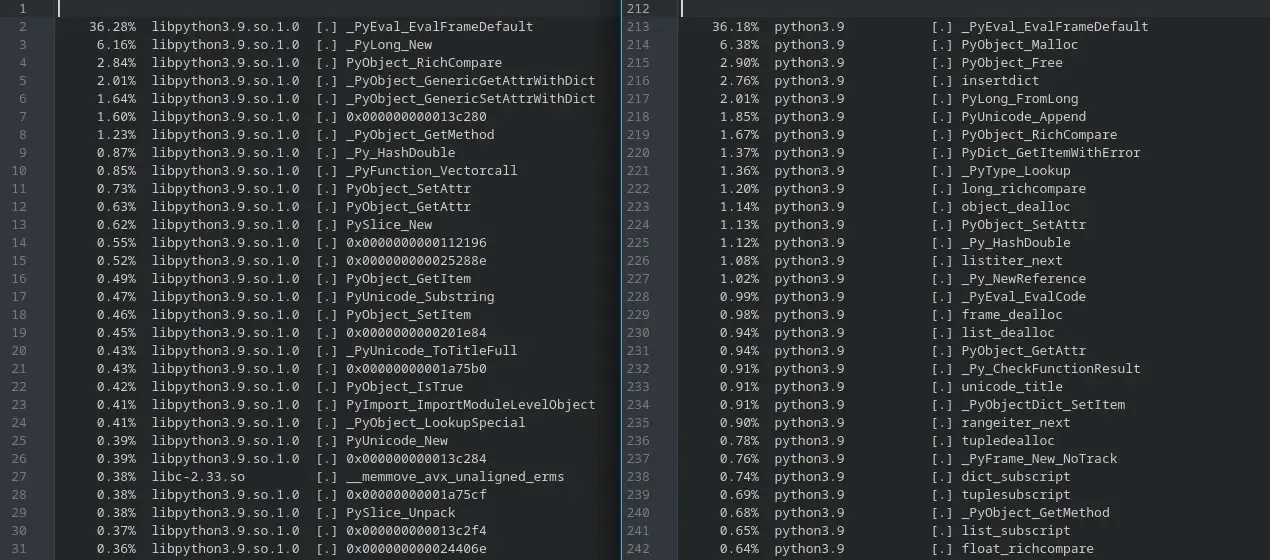
Very astute of you to notice! python in its current state is an absolute minimal build of python in order to run meson. However, I did an analyze run in benchmarking-tools where it became obvious that they were doing completely different things.

Apples and oranges comparison

For now I’ll simply be assuming this will sort itself out when python is built complete with all its functionality. And before anyone wants to point the finger at clang, you get the same result with gcc.

Boulder Keeps On Rolling

Squirrelling away in the background has been some great changes to bring boulder closer to its full potential. Here’s a quick recap of some of the more important ones.

Boulder hard at work

  • Fixed a path issue that prevented manifests from being written for 32bit builds
  • Added keys to control where the tarballs are extracted to
    • This results in a greatly simplified setup stage when using multiple upstreams
  • More customizations to control the final c{,xx}flags exported to the build
  • Added a key to run at the start of every stage so definitions can be exported easily in the stone.yml file
  • Fixed an issue where duplicate hash files were being included in the Content Payload
    • This resulted in reducing the Content Payload size by 750MB of a glibc build with duplicate locale files
  • Finishing touches on profile guided optimization (PGO) builds - including clang’s context-sensitive PGO
    • Fixed a few typos in the macros to make it all work correctly
    • Profile flags are now added to the build stages
    • Added the llvm profile merge steps after running the workload
    • Recreate a clean working directory at the start of each PGO phase

With all this now in place, the build stages of boulder are close to completion. But don’t worry, there’s plenty more great features to come to make building packages for Serpent OS simple, flexible and performant. Next steps will be testing out these new features to see how much they can add to the overall stage4 performance.

Optimising Package Distribution

Getting updates as fast as possible to users has made deltas a popular and sought after feature for distributing packages. Over the last couple of days, I’ve been investigating various techniques we can look at to support deltas in moss.

Minimising the size of updates is particularly valuable where files are downloaded many times and even better if they’re updated infrequently. With a rolling release, packages will be updated frequently, so creating deltas can become resource intensive, especially if supporting updates over a longer period of time. Therefore it’s important to get the right balance between compression speed, decompression memory and minimising file size.

Package prioritiesHow best to meet these needs
DevelopersCreation speedQuickly created packages
UsersFile size and update speedSize minimised deltas

From the users point of view, minimising file size and upgrade time are important priorities, but for a developer, the speed at which packages are created and indexed is vital to progression. Deltas are different to packages in that they aren’t required immediately, so there’s minimal impact in taking longer to minimise their size. By getting deltas right, we can trade-off the size of packages to speed up development, while users will not be affected and fetch only size optimised deltas.

QtWebEngine provides a reasonable test case where the package is a mix of binaries, resources and translations, but above average in size (157.3MB uncompressed). The first trade-off for speed over size has already been made by incorporating zstd in moss over xz, where even with max compression zstd is already 5.6% larger than using xz. This is of course due to the amazing decompression speeds where zstd is magnitudes faster.

Compression levels with zstd

With maximum compression, large packages can take over a minute to compress. With a moderate increase in size, one can reduce compression time by 2-10x. While making me happier as a developer, it does create extra network load during updates.

Full Packagezstd -16 -T0zstd -16zstd -19 -T0zstd -19zstd -22xz -9
Time to create5.4s26.8s27.8s56.0s70.6s66.5s
Size of package52.6MB52.6MB49.2MB49.2MB48.4MB45.9MB

There are two basic methods for deltas. One simple method is to include only files that have been changed since the earlier release. With reproducible builds, it is typical to create the same file from the same inputs. However, with a rolling release model, files will frequently have a small change from dependency changes and new versions of the package itself. In these circumstances the delta size starts to get closer to the full package anyway. As a comparison to other delta techniques, this approach resulted in a 38.2MB delta as it was a rebuild of the same version at a different time so the resources and translations were unchanged (and therefore omitted from the delta).

An alternative is a binary diff, which is a significant improvement when files have small changes between releases. bsdiff has long been used for this purpose and trying it out (without knowing much about it) I managed to create a delta of 33.2MB, not a bad start at all.

To highlight the weakness of the simple method, when you compare the delta across a version change, the simple delta was only a 7% reduction of the full package (as most files have changed), while using an optimal binary diff, it still managed to achieve a respectable 31% size reduction.

While looking into alternatives, I happened to stumble across a new feature in zstd which can be used to create deltas. As we already use zstd heavily it should make integration easier. --patch-from allows zstd to use the old uncompressed package as a dictionary to create the newer package. In this way common parts between the releases will be reused in order to reduce the file size. Playing around I quickly achieved the same size as bsdiff, and with a few tweaks was able to further reduce the delta by a further 23.5%! The best part is that it has the same speedy decompression as zstd, so it will recreate most packages from deltas in the blink of an eye!

Deltaonly changed filesbsdiffzstd -19zstd -22zstd -22 —zstd=chainLog=30
Time to create60.8s153.0s85.5s111.6s131.8s
Size of delta38.2MB33.2MB33.3MB28.5MB25.4MB

There’s certainly a lot of information to digest, but the next step is to integrate a robust delta solution into the moss format. I really like the zstd approach, where you can tune for speed with an increase in size if desired. With minimising on delta size, users can benefit from smaller updates while developers can benefit from faster package creation times.

Some final thoughts for future consideration:

  • zstd has seen many improvements over the years, so I believe that ratios and performance will see incremental improvements over time. Release 1.4.7 already brought significant improvements to deltas (which are reflected in this testing).
  • The highest compression levels (--ultra) are single threaded in zstd, so delta creation can be done in parallel to maximise utilisation.
  • Over optimising the tunables can have a negative impact on both speed and size. As an example, --zstd=targetLength=4096 did result in a 2KB reduction in size at the same speed, but when applied to different inputs (kernel source tree), it not only made it larger by a few hundred bytes, but added 4 minutes to delta creation!
  • Memory usage of applying deltas can be high for large packages (1.74GB for the kernel source tree) as it has to ingest the full size of the original uncompressed package. It is certainly possible to split up payloads with some delta users even creating patches on a per file basis. It is a bit more complicated when library names change version numbers each release with only the SONAME symlink remaining unchanged.
  • There’s always the option to repack packages at higher compression levels later (when deltas are created). This solves getting the package ‘live’ ASAP and minimises the size (eventually), but adds some complication.