Skip to content

Blog

Unpacking the Build Process: Part 2

Part 2 looks at the core of the build process, turning the source into compiled code. In Serpent OS this is handled by our build tool boulder. It is usually the part of the build that takes the longest, so where speed ups have the most impact. How long it takes is largely down to the performance of your compiler and what compile flags you are building with.

This post follows on from Part 1.

The steps for compiling code are generally quite straight-forward:

  • Setting up the build (cmake, configure, meson)
  • Compiling the source (in parallel threads)
  • Installing the build into a package directory

This will build software compiled against packages installed on your system. It’s a bit more complicated when packaging as we first set up an environment to compile in (Part 1). But even then you have many choices to make and each can have an impact on how long it takes to compile the code. Do you build with Link Time Optimizations (LTO) or Profile Guided Optimizations (PGO), do you build the package for performance or for the smallest size? Then there’s packages that benefit considerably from individual tuning flags (like -fno-semantic-interposition with python). With so many possibilities, boulder helps us utilize them through convenient configuration options.

As I do a lot of packaging and performance tuning, boulder is where I spend most of my time. Here are some key features that boulder brings to make my life easier.

  • Ultimate control over build C/CXX/LDFLAGS via the tuning key
  • Integrated 2 stage context sensitive PGO builds with a single line workload
  • Able to switch between gnu and llvm toolchains easily
  • Rules based package creation
  • Control the extraction locations for multiple upstream tarballs

boulder will also be used to generate and amend our stone.yml files to take care of as much as possible automatically. This is only the beginning for boulder as it will continue to be expanded to learn new tricks to make packaging more automated and able to bring more information to help packagers know when they can improve their stone.yml, or alert them that something might be missing.

Serpent OS is focused on the performance of produced packages, even if that means that builds will take longer to complete. This is why we have put in significant efforts to speed up the compiler and setup tools in order to offset and minimize the time needed to enable greater performance.

My initial testing focused on the performance of clang as well as the time taken to run cmake and configure. This lays the foundation for all future work in expanding the Serpent OS package archives at a much faster pace. On the surface, running cmake can be a small part of the overall build. However, it is important in that it utilizes a single thread, so is not sped up by adding more CPU cores like the compile time is. With a more compile heavy build, our highly tuned compiler can build the source in around 75s. So tuning the setup step to run in 5s rather than 10s actually reduces the overall build time by an additional 6%!

There are many smaller packages where the setup time is an even higher proportion of the overall build and becomes more relevant as you increase the numbers of threads on the builder. For example, when building nano on the host, the configure step takes 13.5s, while the build itself takes only 2.3s, so there’s significant gains to be had from speeding up the setup stage of a build (which we will absolutely be taking advantage of!).

A Closer Look at the clang Compiler’s Performance

Section titled “A Closer Look at the clang Compiler’s Performance”

A first cut of the compiler results were shared earlier in Initial Performance Testing, and given the importance to overall build time, I’ve been taking a closer look. In the post I said that "At stages where I would have expected to be ahead already, the compile performance was only equal" and now I have identified the discrepancy.

I’ve tested multiple configurations for the clang compiler and noticed that changing the default standard C++ library makes a difference to the time of this particular build. The difference in the two runs is compiling llvm-ar with the LLVM libraries of compiler-rt/libc++/libunwind or the GNU libraries of libgcc/libstdc++. And just to be clear, this is increasing the time of compiling llvm-ar with libc++ vs libstdc++ and not to do with the performance of either library. The clang compiler itself is built with libc++ in both cases as it produces a faster compiler.

Test using clang Serpent LLVM libs Serpent GNU libs Host
cmake LLVM 5.89s 5.67s 10.58s
Compile -j4 llvm-ar 126.16s 112.51s 155.32s
configure gettext 36.64s 36.98s 63.55s

The host now takes 38% longer than the Serpent OS clang when building with the same GNU libraries and is much more in line with my expectations. Next steps will be getting bolt and perf integrated into Serpent OS to see if we can shave even more time off the build.

What remains unclear is whether this difference is due to something specifically in the LLVM build or whether it would translate to other C++ packages. I haven’t noticed a 10% increase in build time when performing the full compiler build with libc++ vs libstdc++.

Unpacking the Build Process: Part 1

While the build process (or packaging as it’s commonly referred to) is largely hidden to most users, it forms a fundamental and important aspect to the efficiency of development. In Serpent OS this efficiency also extends to users via source based builds for packages you may want to try/use that aren’t available as binaries upstream.

The build process can be thought of in three distinct parts, setting up the build environment, compiling the source and post build analysis plus package creation. Please note that this process hasn’t been finalized in Serpent OS so we will be making further changes to the process where possible.

Some key parts to setting up the build environment:

  • Downloading packages needed as dependencies for the build
  • Downloading upstream source files used in the build
  • Fetching and analyzing the latest repository index
  • Creating a reproducible environment for the build (chroot, container or VM for example)
  • Extracting and installing packages into the environment
  • Extracting tarballs for the build (this is frequently incorporated as part of the build process instead)

While the focus of early optimization work has been on build time performance, there’s more overhead to creating packages time than simply compiling code. Now the compiler is in a good place, we can explore the rest of the build process.

There’s been plenty of progress in speeding up the creation of the build environment such as parallel downloads to reduce connection overhead and using zstd for the fast decompression of packages. But there’s more that we can do to provide an optimal experience to our packagers.

Some parts of the process are challenging to optimize as while you can download multiple files at once to ensure maximum throughput, you are still ultimately limited by your internet speed. When packaging regularly (or building a single package multiple times), downloaded files are cached so become a one off cost. One part we have taken particular interest in speeding up is extracting and installing packages into the environment.

Eight seconds (for a small number of dependencies) that don't need to be endlessly repeated

Installing packages to a clean environment can be the most time consuming part of setting up the build (excluding fetching files which is highly variable). Serpent OS has a massive advantage with the design of moss where packages are cached (extracted on disk) and ready to be used by multiple roots, including the creation of clean build environments for boulder. Having experienced a few build systems in action, setting up the root could take quite some time with a large number of dependencies (even getting over a minute). moss avoids the cost of extracting packages entirely every build by utilizing its cache!

There are also secondary benefits to how moss handles packages via its caches where disk writes are reduced by only needing to extract packages a single time. But hang on, won’t you be using tmpfs for builds? Of course we will have RAM builds as an option and there are benefits there too! When extracting packages to the RAM disk, it consumes memory which can add up to more than a GB before the build even begins. moss allows for us to start with an empty tmpfs so we can perform larger builds before exhausting the memory available on our system.

Another great benefit is due to the atomic nature of moss. This means that we can add packages to be cached as soon as they’re fetched while waiting for the remaining files to finish downloading (both for boulder and system updates). Scheduling jobs becomes much more efficient and we can have the build environment available in moments after the last file is downloaded!

moss allows us to eliminate one of the bigger time sinks in setting up builds, enabling developers and contributors alike to be more efficient in getting work done for Serpent OS. With greater efficiency it may become possible to provide a second architecture for older machines (if the demand arises).

Yes, there’s plenty more to discuss so there will be more follow up posts showing the cool features Serpent OS is doing to both reduce the time taken to build packages and in making packages easier to create so stay tuned!

A Rolling Boulder Gathers No Moss

We actually did it. Super pleased to announce that moss is now capable of installing and removing packages. Granted, super rough, but gotta start somewhere right?

Transactional system roots + installation in moss

OK let’s recap. A moss archive is super weird, and consists of multiple containers, or payloads. We use a strongly typed binary format, per-payload compression (Currently zstd), and don’t store files in a typical archive fashion.

Instead a .stone file (moss archive) has a Content Payload, which is a compressed “megablob” of all the unique files in a given package. The various files contained within that “megablob” are described in an IndexPayload, which simply contains some IDs and offsets, acting much like a lookup table.

That data alone doesn’t actually tell us where files go on the filesystem when installed. For that, we have a specialist Layout Payload, encoding the final layout of the package on disk.

As can be imagined, the weirdness made it quite difficult to install in a trivial fashion.

Well, persistence really. Thanks to RocksDB and our new moss-db project, we can trivially store information we need from each package we “precache”. Primarily, we store full system states within our new StateDB, which at present is simply a series of package ID selections grouped by a unique 64-bit integer.

Additionally we remember the layouts within the LayoutDB so that we can eventually recreate said layout on disk.

Before we actually commit to an install, we try to precache all of the stone files in our pool. So we unpack the content payload (“megablob”), split it into various unique files in the pool ready for use. At this point we also record the Layouts, but do not “install” the package to a system root.

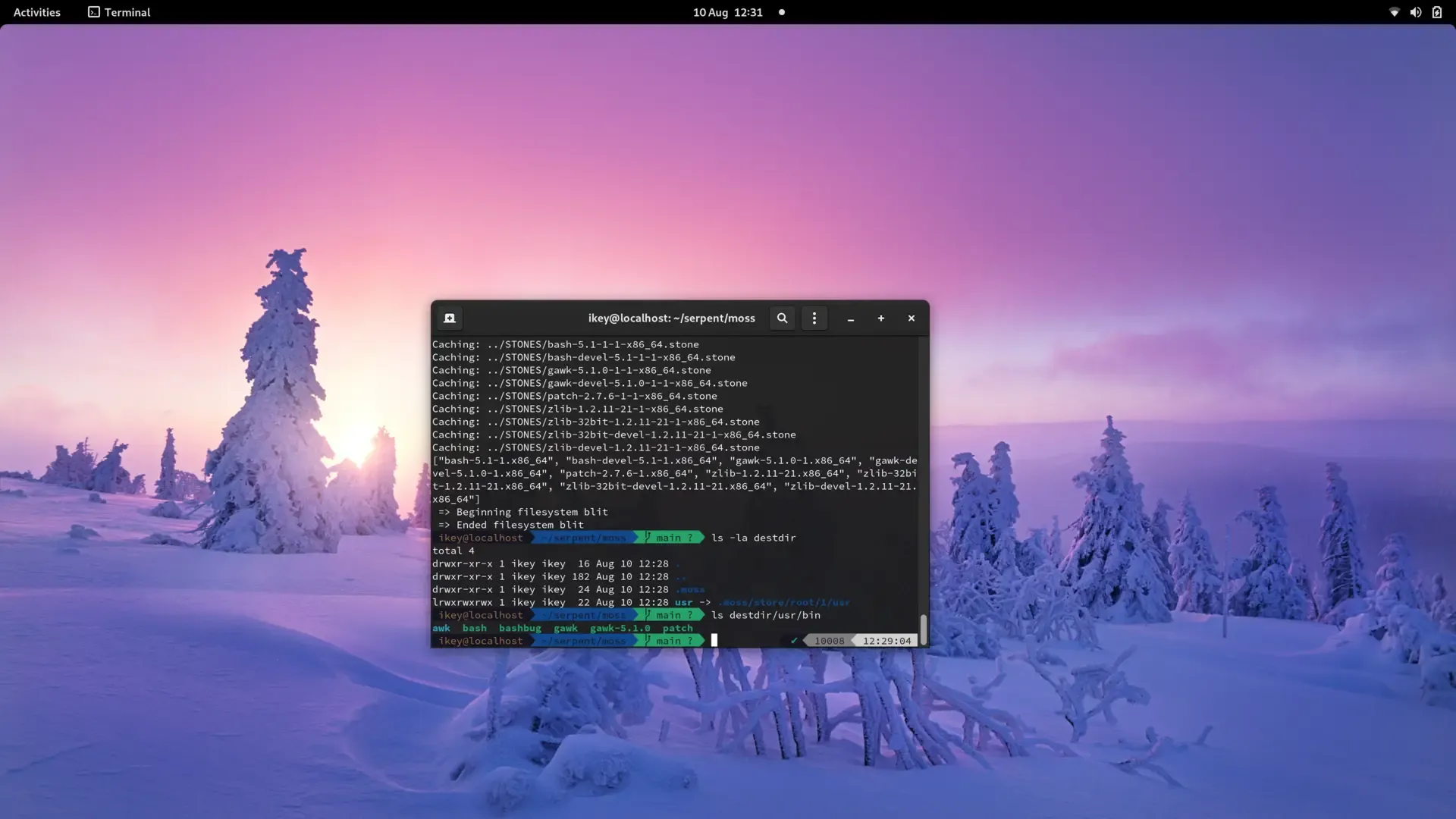
This is our favourite step. When our cache is populated, we gather all relevant layouts for the current selections, and then begin applying them in a new system root. All directories and symlinks are created as normal, whereas any regular file is hardlinked from the pool. This process takes a fraction of a second and gives us completely clean, deduplicated system roots.

Currently these live in /.moss/store/root/$ID/usr. To complete the transaction, we update /usr to point to the new usr tree atomically assuming that a reboot isn’t needed. In future, boot switch logic will update the tree for us.

Removal is quite the same as installation. We simply remove the package IDs from the new state selections (copied from the last state) and blit a new system root, finally updating the atomic /usr pointer.

Removal

We retain classic package management traits such as having granular selections, multiple repositories, etc, whilst sporting advanced features like full system deduplication and transactions/rollbacks.

When we’re far enough along, it’ll be possible to boot back to the last working transaction without requiring an internet connection. Due to the use of pooling and hardlinks, each transaction tree is only a few KiB, with files shared between each transaction/install.

We need some major cleanups, better error handling, logging, timed functions, and an eventloop driven process to allow parallel fetching/precaching prior to final system rootfs construction.

It’s taken us a very long time to get to this point, and there is still more work to be done. However this is a major milestone and we can now start adding features and polish.

Once the required features are in place, we’ll work on the much needed pre alpha ISO :) If you fancy helping us get to that stage quicker, do check out our OpenCollective! (We won’t limit prealpha availability, don’t worry :))

Moss DB Progress

I’ll try to make this update as brief as I can but it’s certainly an important one, so let’s dive right into it. The last few weeks have been rough but work on our package manager has still been happening. Today we’re happy to reveal another element of the equation: moss-db.

Putting moss-db to the test

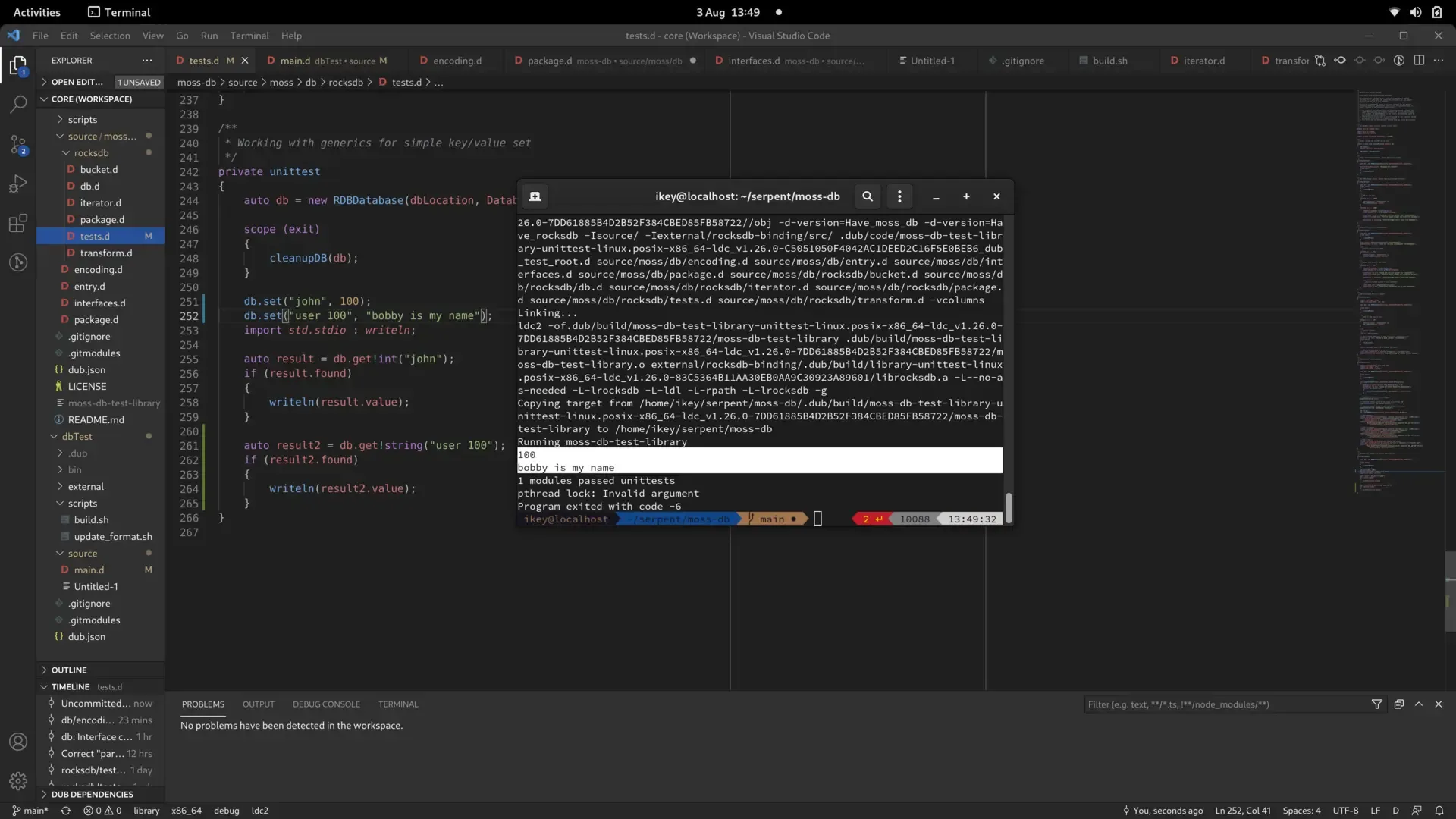
moss-db is an abstract API providing access to simplistic “Key Value” stores. We had initially used some payload based files as databases but that introduced various hurdles, so we decided to take a more abstract approach to not tie ourselves to any specific implementation of a database.

Our main goal with moss-db is to encapsulate the RocksDB library, providing sane, idiomatic access to a key value store.

At the highest level, we needed something that could store arbitrary keys and values, grouped by some kind of common key (commonly known as “buckets”). We’ve succeeded in that abstraction, which also required us to fork a rocksdb-binding to add the Transform APIs required.

Additionally we required idiomatic range behaviours for iteration, as well as generic access patterns. To that affect we can now foreach a bucket, pipe it through the awesomely powerful std.algorithm APIs, and automatically encode/decode keys and values through our generic APIs when implementing the mossdbEncode() and mossdbDecode() functions for a specific type.

In a nutshell, this was the old, ugly, hard way:

/* old, hard way */
auto nameZ = name.toStringz();
int age = 100;
ubyte[int.sizeof] ageEncoded = nativeToBigEndian(ageEncoded);
db.setDatum(cast(ubyte[]) (nameZ[0 .. strlen(nameZ)]), ageEncoded);

And this is the new, shmexy way:

db.set("john", 100);
db.set("user 100", "bobby is my name");
auto result = db.get!int("john");
if (result.found)
{
writeln(result.value);
}
auto result2 = db.get!string("user 100");
if (result2.found)
{
writeln(result2.value);
}

It’s quite easy to see the new API lends itself robustly to our needs, so that we may implement stateful, strongly typed databases for moss.

Even though some APIs in moss-db may still be lacking (remove, for example) we’re happy that it can provide the foundation for our next steps. We now need to roll out the new StateDB, MetaDB and LayoutDB, to record system states, package metadata, and filesystem layout information, respectively.

With those 3 basic requirements in place we can combine the respective works into installation routines. Which, clearly, warrants another blog post … :)

For now you can see the relevant projects on our GitLab project.

Initial Performance Testing

With further progress on boulder, we can now build native stone packages with some easy tweaks such as profile guided optimizations (PGO) and link time optimizations (LTO). That means we can take a first look at what the performance of the first cut of Serpent OS shows for the future. The tests have been conducted using benchmarking-tools with Serpent OS measured in a chroot on the same host with the same kernel and config.

One of the key focuses for early in the project is on reducing build time. Every feature can either add or subtract from the time it takes to produce a package. With a source/binary hybrid model, users will greatly benefit from the faster builds as well. In terms of what I’ve targeted in these tests is the performance of clang and testing some compiler flag options on cmake.

clang has always been a compiler with a big future. The performance credentials have also been improving each release and are now starting to see it perform strongly against its GNU counterpart. It is common to hear that clang is slow and produces less optimized code. I will admit that most distros provide a slow build of clang, but that will not be the case in Serpent OS.

It is important to note that in this comparison the Host distro has pulled in some patches from LLVM-13 that greatly improve the performance of clang. Prior to this, their tests actually took 50% longer for cmake and configure but only 10% longer for compiling. boulder does not yet support patching in builds so the packages are completely vanilla.

Test using clang Serpent Host Difference
cmake LLVM 5.89s 10.58s 79.7%
Compile -j4 llvm-ar 126.16s 155.32s 23.1%
configure gettext 36.64s 63.55s 73.4%

Based on the results during testing, the performance of clang in Serpent OS still has room to improve and was just a quick tuning pass. At stages where I would have expected to be ahead already, the compile performance was only equal (but cmake and configure were still well ahead).

While clang is the default compiler in Serpent OS, there may be instances where the performance is not quite where it could be. It is common to see software have more optimized code paths where they are not tested with clang upstream. As an example, here’s a couple of patches in flac (1, 2) that demonstrate this being improved. Using benchmarking-tools, it is easy to see where gcc and clang builds are running different functions via perf results.

In circumstances where the slowdown is due to hitting poor optimization paths in clang, we always have the option to build packages using gcc, where the GNU toolchain is essential for building glibc. Therefore having a solid GNU toolchain is important but small compile time improvements won’t be noticed by users or developers as much.

Test using gcc Serpent Host Difference
cmake LLVM 7.00s 7.95s 13.6%
Compile llvm-ar 168.11s 199.07s 18.4%
configure gettext 45.45s 51.93s 14.3%

While the current bootstrap exists only as a starting point for building the rest of Serpent OS, there are some other packages we can easily test and compare. Here’s a summary of those results.

Test Serpent Host Difference
Pybench 1199.67ms 1024.33ms -14.6%
xz Compress Kernel (-3 -T1) 42.67s 46.57s 9.1%
xz Compress Kernel (-9 -T4) 71.25s 76.12s 6.8%
xz Decompress Kernel 8.03s 8.18s 1.9%
zlib Compress Kernel 12.60s 13.17s 4.5%
zlib Decompress Kernel 5.14s 5.21s 1.4%
zstd Compress Kernel (-8 -T1) 5.77s 7.06s 22.3%
zstd Compress Kernel (-19 -T4) 51.87s 66.52s 28.3%
zstd Decompress Kernel 2.90s 3.08s 6.3%

From my experiences with testing the bootstrap, it is clear there’s some cobwebs in there that require some more iterations of the toolchain. There also seems to be some slowdowns in not including all the dependencies of some packages. Once more packages are included, naturally all the testing will be redone and help influence the default compiler flags of the project.

It’s not yet clear the experience of using libc++ vs libstdc++ with the clang compiler. Once the cobwebs are out and Serpent OS further developed, the impact (if any) should become more obvious. There are also some parts not yet included in boulder such as stripping files, LTO and other flags by default that will speed up loading libraries. At this stage this is deliberate until integrating outputs from builds (such as symbol information).

But this provides an excellent platform to build out the rest of the OS. The raw speed of the clang compiler will make iterating and expanding the package set a real joy!

Very astute of you to notice! python in its current state is an absolute minimal build of python in order to run meson. However, I did an analyze run in benchmarking-tools where it became obvious that they were doing completely different things.

Apples and oranges comparison

For now I’ll simply be assuming this will sort itself out when python is built complete with all its functionality. And before anyone wants to point the finger at clang, you get the same result with gcc.